Contact Info
118 ALJUNIED AVENUE 2, SINGAPORE (380118)
support@cheapforexvps.com
Recommended Services


Supported Scripts
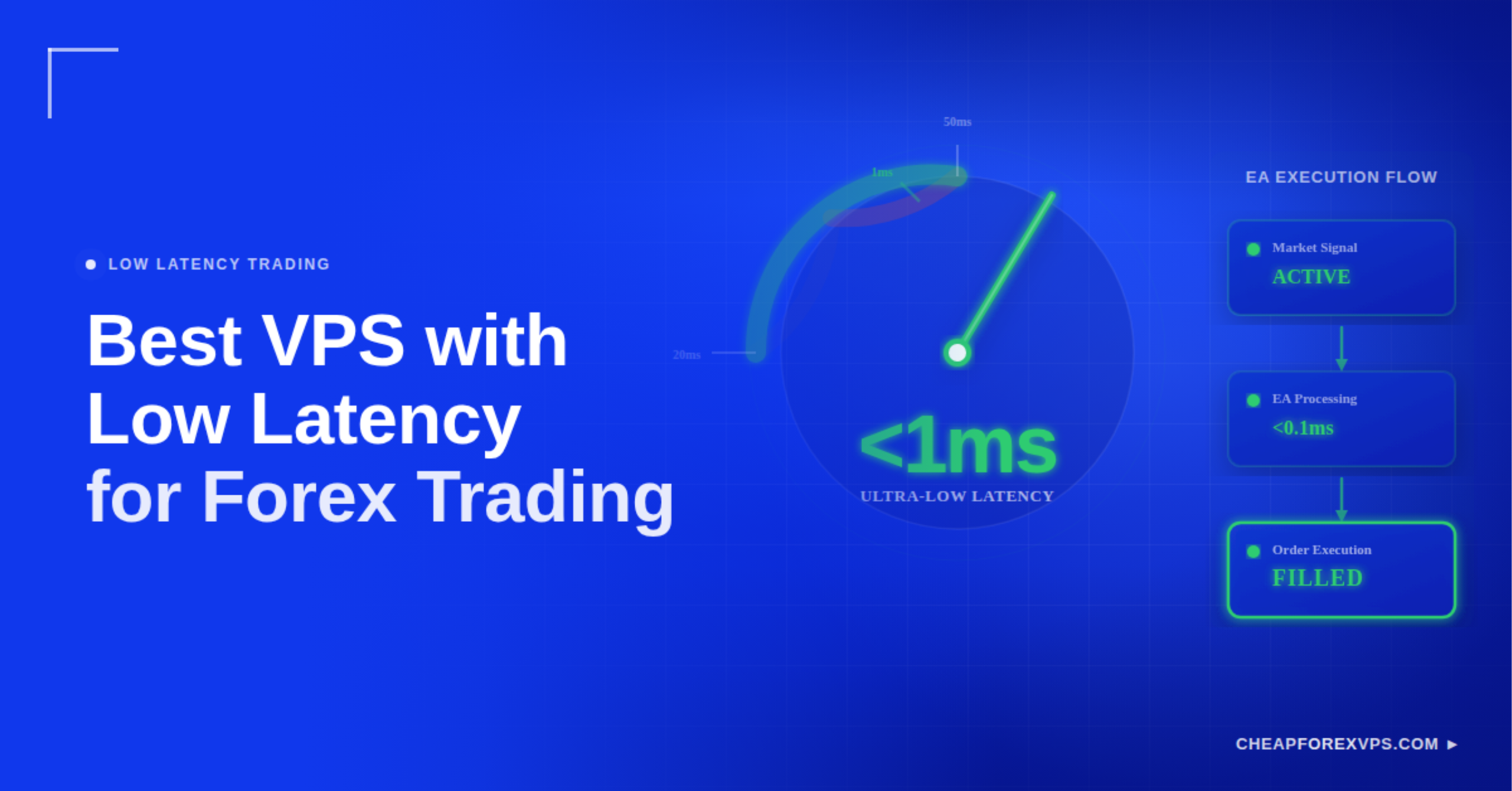
Every millisecond counts in Forex trading. When your order travels from a home computer to a broker’s server across thousands of miles of network infrastructure, it can arrive too late to fill at your target price. The best VPS with low latency for Forex trading is a dedicated virtual server co-located in the same data center as your broker, reducing execution time from 200ms or more down to under 5ms.
Retail traders using Expert Advisors (EAs) and scalpers executing dozens of trades per session are the most exposed to high latency. A slow connection causes slippage, failed fills, and requotes that compound over time into measurable losses. A low-latency Forex VPS eliminates the distance between your trading platform and your broker’s matching engine.
This guide covers why latency matters, how to select the right server location and hardware, what to avoid when comparing providers, and how to verify you are getting the performance you paid for.
Why Does Latency Matter for Forex Trading?
Latency is the round-trip delay between sending a trade order and receiving broker confirmation, and high latency directly increases the cost of every trade you execute. Slippage occurs when your order fills at a different price than requested because the market moved during the delay. For scalpers and EA traders, slippage is not occasional; it is structural.
According to the Bank for International Settlements (BIS) 2022 Triennial Central Bank Survey, the global foreign exchange market averages $7.5 trillion in daily turnover. At that volume, prices can shift multiple times within a single second. A latency of 250ms gives the market enough time to move well past your intended entry price.
Industry data indicates that for high-frequency institutional traders, a 1-millisecond advantage can translate into millions of dollars annually. For retail traders, reducing latency from 200ms to under 5ms can improve annual returns by 2% to 5% by avoiding poor fill prices.
High latency creates four compounding performance problems:
- Slippage: Orders fill at worse prices because the market moved during the delay
- Requotes: Brokers reject orders when price moves too far from the requested level before execution
- EA underperformance: Automated strategies fail to execute at intended signal prices
- Missed entries: Momentum-based setups become invalid by the time the order arrives at the broker
Latency risk scales with connection distance. This reference shows how each range affects execution in practice:
|
Latency Range |
Connection Type | Execution Impact |
|
Under 2ms |
Co-located VPS (same data center as broker) | Near-instant fills; slippage virtually eliminated |
|
2ms to 5ms |
VPS in same city as broker | Excellent for EAs and scalpers; minimal slippage risk |
| 5ms to 30ms | VPS in nearby region |
Acceptable for active manual trading; occasional slippage on fast moves |
| 30ms to 100ms | VPS in wrong region |
Noticeable delay; increased requote risk during news events |
| Above 100ms | Home internet connection (no VPS) |
Significant slippage on every volatile session; EAs frequently miss target prices |
What Hardware and Network Features Reduce Trading Latency?
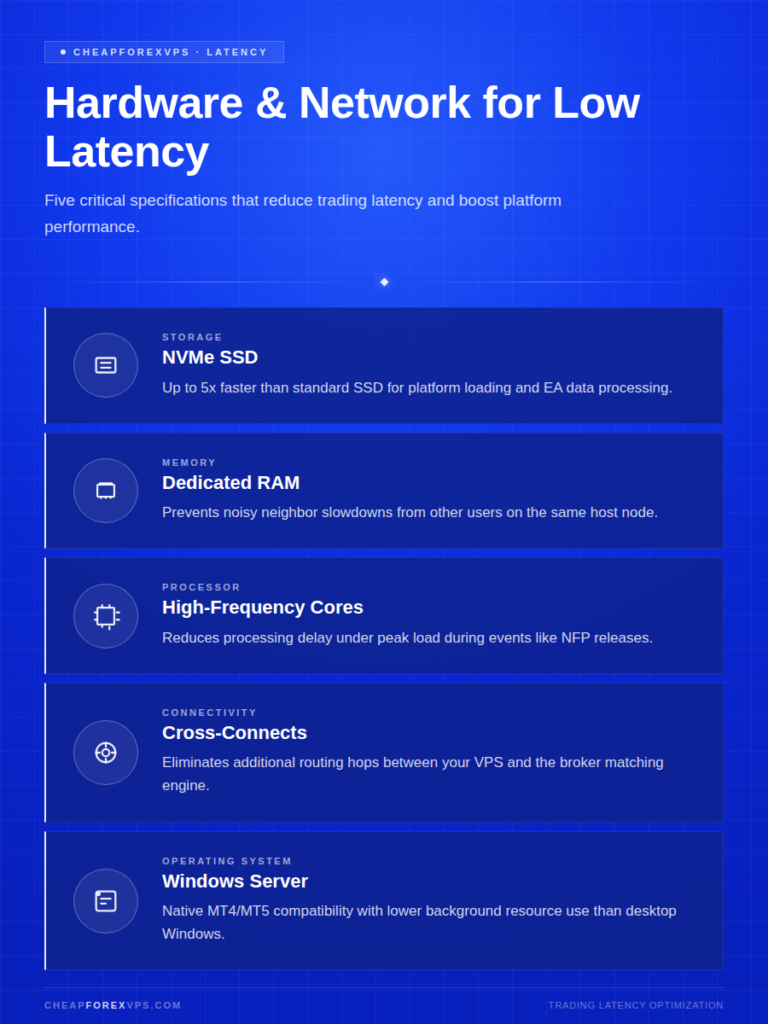
Low trading latency depends on four factors: server location, storage speed, dedicated resource allocation, and direct network peering between your VPS provider and major liquidity hubs. Location is the most critical. Hardware quality determines how much latency you achieve once your server is in the right city.
NVMe SSD storage and dedicated RAM make the largest measurable difference to platform performance once your server is correctly co-located. According to Statista reporting on storage technology, NVMe drives are up to 5x faster than standard SSDs for data writes and platform loading.
|
Feature |
Recommended Spec | Why It Matters |
|
Storage |
NVMe SSD | Up to 5x faster than standard SSD for platform loading and EA data processing |
|
RAM |
Dedicated (not shared) | Prevents “noisy neighbor” slowdowns from other users on the same host node |
| CPU | High-frequency, dedicated cores |
Reduces processing delay under peak load during events like NFP releases |
| Network | Cross-connects to liquidity providers |
Eliminates additional routing hops between your VPS and the broker matching engine |
| OS | Windows Server 2016, 2019, or 2022 |
Native MT4/MT5 compatibility with lower background resource use than desktop Windows |
Shared resource plans introduce an additional risk that dedicated plans do not. One user’s CPU spike can affect all tenants on the same hardware node. Dedicated RAM ensures your platform has consistent processing capacity regardless of other users’ activity.
How Do You Choose the Right Forex VPS Location?
Your VPS must be located in the same city as your broker’s server, ideally in the same data center building. A fast server in the wrong city cannot overcome the physics of data traveling over long distances.
The major financial data centers used by most Forex brokers worldwide are:
|
Data Center |
Location | Primary Market |
|
Equinix NY4 |
Secaucus, New Jersey | US brokers and North American liquidity providers |
|
Equinix LD4 |
Slough, London |
European and UK-regulated brokers |
| Equinix TY3 | Tokyo, Japan |
Asia-Pacific broker infrastructure |
| Singtel Tier 1 | Singapore |
Southeast Asian brokers and liquidity networks |
To identify your broker’s server location, follow these steps before purchasing any plan:
- Open MT4 or MT5
- Look at the connection indicator in the bottom-right corner of the platform
- Note the server name displayed (for example, “ICMarkets-Live04-NY4” or “Pepperstone-Demo-UK”)
- Match the city abbreviation or exchange identifier to your VPS provider’s data center list
CheapForexVPS maintains servers at Equinix NY4, LD4, TY3, and Singapore, backed by a 99.95% uptime guarantee. Plans start from $5 a month and include a 5-day money-back guarantee, giving you a risk-free window to verify latency performance before committing.
Does Plan Tier Affect Latency?
Yes. Higher-tier plans deliver faster typical latency through dedicated resources, higher RAM allocations, and closer proximity to exchange cross-connects.
|
Plan Tier |
Target User | RAM | Typical Latency |
Uptime |
|
Lite |
Beginners / 1 MT4 instance | 1 GB to 2 GB | Under 5ms | 99.95% |
| Standard | Active traders / 2 to 3 MT4 instances | 4 GB to 8 GB | Under 2ms |
99.99% |
| Professional | Multiple EAs / power users | 16 GB+ | Under 1ms |
100% (SLA) |
Running too many MT4 instances on an underpowered plan causes CPU spikes during high-volatility periods. During events like Non-Farm Payroll (NFP) releases, a frozen platform can mean missed exits, not just missed entries.
What Are the Common Mistakes Traders Make When Selecting a Low-Latency VPS?
The most common mistake is selecting a VPS based on price alone without verifying the server’s physical location. A $2-per-month plan hosted in Australia is functionally useless for a trader whose broker is in London, regardless of the plan’s hardware specifications.
Each of the following errors reduces execution quality in ways that a better strategy cannot compensate for:
|
Avoid |
Do Instead |
|
Choosing the lowest-priced plan without checking the server location |
Verify the VPS data center matches your broker’s city before purchasing |
|
Selecting shared RAM plans |
Confirm RAM is fully dedicated in the plan specifications |
| Running too many MT4 instances on a Lite plan |
Monitor RAM usage; upgrade to Standard if utilization exceeds 80% |
| Skipping the trial or money-back window |
Ping your broker’s server IP from inside the VPS before committing long-term |
| Ignoring security requirements |
Confirm DDoS protection and managed firewall rules are included in the plan |
Research by Gartner establishes 99.9% uptime as the minimum viable threshold for financial services applications. For active trading, anything below 99.95% creates meaningful exposure to downtime during market hours.
How Do You Measure Latency on Your Forex VPS?
Latency on a Forex VPS is measured as the round-trip ping time from the VPS server to the broker’s IP address, expressed in milliseconds. Anything under 5ms confirms a co-located or near-co-located configuration. Values above 30ms indicate the VPS and broker are not in the same data center.
Three methods cover all standard testing scenarios:
|
Method |
Tool | What to Look For |
|
Platform meter |
MT4/MT5 built-in ping display (bottom-right corner) | Under 5ms confirms co-location; above 30ms signals a location mismatch |
| Command Prompt | ping [broker-server-IP] run from inside the VPS |
Consistent round-trip times; standard deviation above 1ms indicates a routing issue |
| Speed test | Speedtest.net using a server in your broker’s city |
Sub-10ms inter-city latency is now standard for financial hosting (IDC) |
MT4/MT5 Built-In Ping Display
The platform’s built-in connection meter is the most direct measure available without any external tools. The ping value in milliseconds appears in the bottom-right corner of the MT4 or MT5 interface.
Interpret your reading using these benchmarks:
- Under 5ms: VPS is correctly co-located; ideal for EAs and scalpers
- 5ms to 30ms: VPS and broker are in the same region but not the same building; acceptable for most manual strategies
- Above 30ms: Location mismatch; no hardware upgrade can fix this; switch data centers
Command Prompt Ping Test
From inside the VPS, run a ping test to your broker’s server IP to measure raw round-trip latency and detect instability. A standard deviation above 1ms on a co-located setup indicates a network routing issue worth escalating to your provider’s support team.
Steps to run the test:
- Log into your VPS via Remote Desktop Connection
- Press Win + R, type cmd, and press Enter
- Type ping [broker-server-IP] and press Enter
- Note the Average ms value and the variation between individual packet times
- If variation exceeds 1ms consistently, contact your provider to investigate routing
Server-to-Server Speed Test
Run a test from Speedtest.net using a server based in your broker’s city. According to IDC market research, flash-based storage and sub-10ms inter-city latency are now standard expectations for performance-critical financial applications. Results significantly above 10ms between cities in the same region warrant a provider switch.
What You Need to Know About Low-Latency Forex VPS Hosting
A low-latency Forex VPS is the baseline infrastructure for anyone running EAs or executing more than a few trades per session. The difference between 250ms and 1.5ms execution is measurable on every order. It determines whether your strategy fills at the price your logic intended or absorbs slippage that compounds silently into annual underperformance.
Prioritize server location first, hardware quality second, and plan tier third. Over 80% of retail trading volume is now executed through automated systems, which makes VPS stability and execution speed more consequential than at any earlier point in the history of retail Forex. The VPS does not generate edge; it preserves the edge your strategy already has.
Work through these steps in order before your first live session on any new VPS:
- Identify your broker’s server location using the MT4/MT5 connection indicator
- Select a VPS provider with a verified data center in the same city
- Choose a plan with dedicated RAM sized to your number of MT4 instances
- Confirm NVMe SSD storage and Windows Server OS (2016, 2019, or 2022)
- Test latency using the MT4 ping display and Command Prompt during the money-back window
- Monitor RAM and CPU usage during your first live high-volatility session
Start with a provider that offers verified co-location at Equinix NY4 or LD4, dedicated RAM, NVMe SSD storage, and a clear money-back testing window. CheapForexVPS offers all of these with plans starting from $5 a month and a 5-day money-back guarantee.
Frequently Asked Questions About Low-Latency Forex VPS Hosting
What is acceptable latency for Forex trading?
Under 30ms is workable for manual traders who do not rely on precise entry timing. For EAs and scalping strategies, latency should be under 5ms. Co-located servers typically achieve 1ms to 2ms to the broker matching engine.
Can a free VPS handle Forex trading reliably?
Free VPS plans share resources across many users and rarely guarantee uptime or latency performance. For a market trading $7.5 trillion daily, the cost of a single bad fill often exceeds the monthly cost of a dedicated plan starting at $5.
Do I need a VPS if I trade manually?
A VPS is strongly recommended even for manual traders. It eliminates downtime caused by home internet outages, power cuts, and automatic OS updates that can close your platform mid-session without warning.
Which operating system is best for a Forex VPS?
Windows Server 2016, 2019, or 2022 is the industry standard. MetaTrader 4 and MetaTrader 5 are native Windows applications, and Windows Server consumes fewer background resources than a consumer Windows desktop installation.
How many MT4 platforms can I run on 2GB of RAM?
One to two MT4 instances run comfortably on 2GB of RAM under typical conditions. Adding more indicators or EAs increases memory consumption. Monitor RAM usage through Task Manager during high-volatility sessions to confirm you are within safe operating limits.
Does a VPS guarantee trading profits?
No. A VPS ensures your trading strategy is executed as intended, without delay or platform interruption. Whether that strategy is profitable depends entirely on your entry logic, risk management, and market conditions.