
Contact Info
118 ALJUNIED AVENUE 2, SINGAPORE (380118)
support@cheapforexvps.com
Recommended Services


Supported Scripts
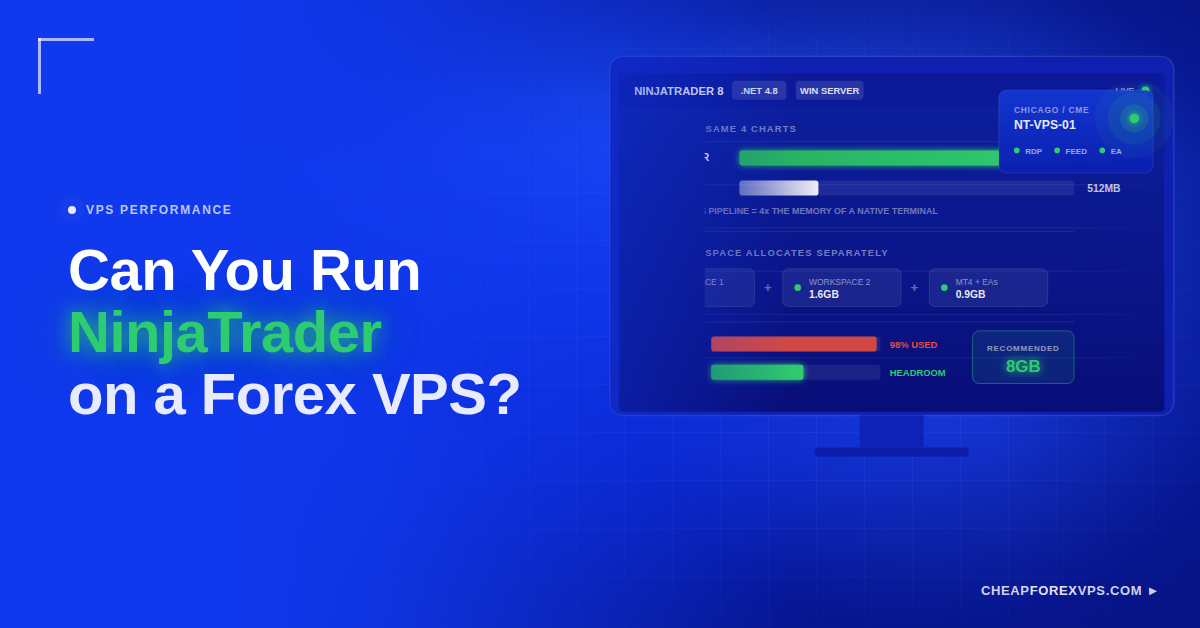
Most traders size a forex VPS around MetaTrader 4 and assume the same plan will carry any platform. NinjaTrader breaks that assumption. It runs on a forex VPS without issue, but it is a .NET charting application rather than a lightweight terminal, so a plan built for MT4 will often stall once charts, indicators, and live data are all loading at once.
The fix is not complicated. Use a Windows VPS, start at 4GB RAM and 2 vCPUs instead of the official minimum, and place the server near your broker or data feed.
This guide covers the specs NinjaTrader needs on a VPS, how to install and test it, and when to move to 8GB, 16GB, or a second server.
What Does NinjaTrader Need to Run on a Forex VPS?
NinjaTrader runs on any Windows VPS with at least 4GB RAM and 2 vCPUs. The platform depends on the Microsoft .NET Framework, so a Windows environment is required rather than optional.
A VPS, or virtual private server, is a partitioned slice of a physical server with its own dedicated RAM, CPU, and storage. It runs continuously in a data center and you reach it through Remote Desktop, which is Windows’ built-in tool for controlling a remote machine as though you were sitting at it. Hosting NinjaTrader on that infrastructure rather than a home machine changes what the platform depends on.
| Capability | What the VPS Provides | Why It Matters |
| Continuous uptime | Platform stays open through the full session | Charts and data do not reset when your machine sleeps |
| Strategy automation | Execution independent of your home hardware | Strategies keep running when you close your laptop |
| Outage resilience | Data center power and connectivity | A local blackout or ISP drop does not touch the platform |
| Remote access | Desktop reachable from any device | Manage positions from a phone or tablet |
| Environment isolation | Server dedicated to trading software | No personal applications competing for RAM |
NinjaTrader 8 requires .NET Framework 4.8, which ships with current Windows Server builds. A Linux VPS cannot run it natively, and compatibility layers add failure points that are not worth the savings on a server that costs from $5 a month.
Why Does NinjaTrader Need More Resources Than MT4?
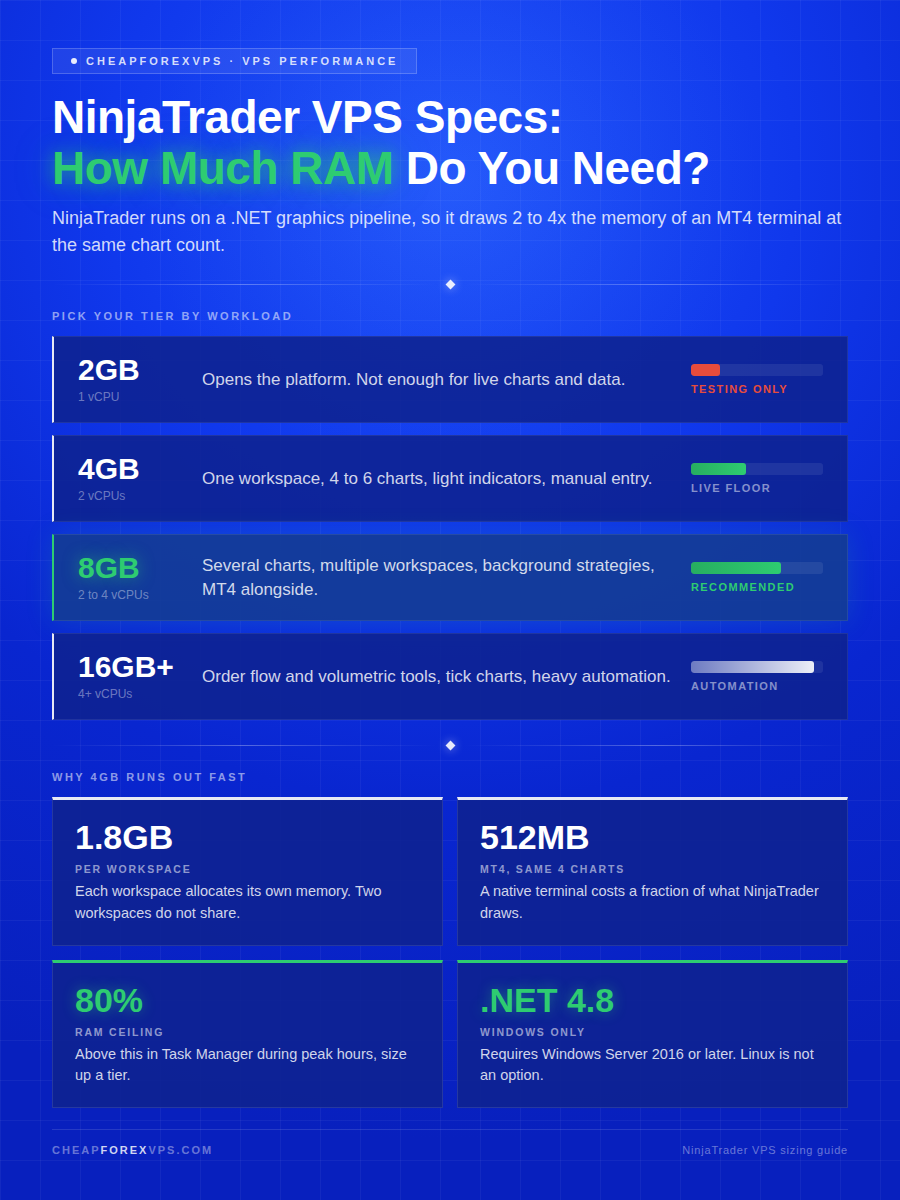
NinjaTrader consolidates charting, market data, order entry, strategy automation, and analysis into one .NET application, which draws roughly two to four times the RAM of an MT4 terminal at comparable chart counts. MT4 is a lean native executable. NinjaTrader is not.
That resource gap shows up in three places: chart rendering, the .NET runtime itself, and market data throughput.
Why Is Charting Heavier on NinjaTrader?
NinjaTrader renders charts through a managed .NET graphics pipeline, which costs more CPU per chart than MT4’s native drawing. Tick charts, market replay, and multi-workspace layouts multiply that cost.
A single MT4 terminal with four charts runs comfortably in under 512MB of RAM. A NinjaTrader workspace with the same four charts plus indicators typically consumes 1GB to 2GB, and each additional workspace adds to that figure rather than sharing it.
Why Does the .NET Framework Matter?
The .NET Framework is Microsoft’s application runtime, and NinjaTrader 8 compiles strategies and indicators against it at load time. That compilation step is why the platform takes longer to start than MT4 and why it holds more memory once running. For a VPS, the runtime dependency carries four practical consequences.
| Requirement | Consequence If Ignored |
| Windows Server 2016 or later | .NET 4.8 will not install, and NinjaTrader 8 will not run |
| Current .NET Framework 4.8 | Installer fails silently with no useful error message |
| Windows Update scheduled manually | Automatic updates restart the server mid-session |
| Restarts outside market hours | A forced reboot terminates open strategies without warning |
Why Does Market Data Affect Performance?
Market data volume drives CPU load directly, because every incoming tick triggers indicator recalculation and chart redraw across all open workspaces. Quiet sessions are cheap, and CPU load spikes reliably during the fast ones.
| Session Event | Load Driver | Effect on NinjaTrader |
| CME futures open | Volume concentrates into a narrow window | Tick throughput jumps across all futures charts |
| Scheduled news releases | Tick rates surge for several minutes | Indicators recalculate continuously |
| London and New York overlap | Highest-volume forex period of the day | Sustained redraw load rather than a short spike |
| Automated strategy execution | Order logic runs on top of data processing | CPU cost stacks on the existing charting load |
Undersized CPU during these windows produces platform lag, and platform lag delays order submission at exactly the moment price is moving fastest.
What Specs Are Recommended for NinjaTrader on a VPS?
Start at 4GB RAM and 2 vCPUs for live trading, and move to 8GB once you run more than one workspace. NinjaTrader’s published minimum is 2GB, but that figure covers launching the software, not trading on it.
Minimum specs and comfortable specs diverge sharply on this platform, so size for your busiest session rather than your average one.
| VPS Setup | Suggested RAM | Suggested CPU | Best For |
| Minimum testing setup | 2GB | 1 vCPU | Login, basic testing, light use |
| Starter live setup | 4GB | 2 vCPUs | One NinjaTrader workspace |
| Standard trading setup | 8GB | 2 to 4 vCPUs | Several charts, data feed, indicators |
| Heavy automation setup | 16GB+ | 4+ vCPUs | Automated strategies and active trading |
| Advanced setup | 16GB to 32GB+ | 4 to 8+ vCPUs | Complex strategies and heavy charting |
When Is 4GB RAM Enough?
4GB covers a single workspace with light indicator load and manual order entry. It is the correct starting point for a trader learning the platform or running one strategy.
| Component | 4GB Handles | Upgrade Trigger |
| Workspaces | One | A second workspace opens |
| Charts | Four to six on standard timeframes | Tick or volume charts added |
| Indicators | Two or three lightweight per chart | Order flow or volumetric tools added |
| Data feeds | One connection | A second feed or platform added |
| Order entry | Manual | Strategies run unattended |
Storage matters more than most traders expect here. NVMe storage cuts workspace load times substantially against traditional SSD, which is why the difference is noticeable every time NinjaTrader compiles indicators at startup.
When Should You Choose 8GB or More?
Choose 8GB the moment a second workspace opens or a strategy starts running unattended. Each additional workspace is a separate memory allocation rather than a shared one.
| Workload | Recommended RAM | Reason |
| Two or more workspaces | 8GB | Each workspace claims 1GB to 2GB independently |
| Background automated strategies | 8GB | Strategy logic runs alongside chart rendering |
| Market replay with live charts | 8GB | Replay loads historical data into memory concurrently |
| Volumetric or order flow indicators | 16GB | The heaviest tools in the platform |
| NinjaTrader and MT4 together | 8GB to 16GB | MT4 with EAs adds 500MB to 1GB |
| Tick or volume charts | 16GB | Every trade is processed rather than sampled |
Headroom is insurance. A platform running at 90% memory utilization will freeze during a news spike, and the freeze arrives precisely when the position needs managing.
Does VPS Location Still Matter?
Yes. Latency is the round-trip time for an order to reach the broker or exchange and be acknowledged, and it is determined largely by physical distance, which means the data center should match the market you trade.
| Market | Recommended Location | Reason |
| CME futures | Chicago area | Closest to CME Group matching engines in Aurora, Illinois |
| US forex brokers | Equinix NY4, New York | Primary financial exchange point for North American brokers |
| European forex | Equinix LD4, London | Highest concentration of forex broker infrastructure globally |
| Asian sessions | Equinix TY3 (Tokyo) or Singapore | Serves JPY and APAC broker feeds |
Low latency removes network delay. It does not remove slippage, which is a function of liquidity and volatility rather than distance.
How Do You Install NinjaTrader on a VPS?
Connect to the VPS through Remote Desktop, then download and install NinjaTrader inside that remote Windows session exactly as you would on a local desktop. The installer must run inside the VPS, not on your own machine.
The process breaks into three stages: preparing the server, installing the platform, and testing before funding.
How Do You Prepare the VPS?
Verify the Windows environment before downloading anything, because a missing .NET version causes an installer failure that reports no useful error.
| Requirement | Specification | Purpose |
| Operating system | Windows Server 2016 or later | .NET 4.8 compatibility |
| Memory | 4GB minimum, 8GB for multi-workspace | Chart rendering and indicator load |
| Runtime | .NET Framework 4.8, current | NinjaTrader 8 will not install without it |
| Disk space | 20GB free minimum | Platform files, historical data, and logs |
| Access | Remote Desktop with a unique password | Setup and ongoing management |
| Updates | Windows Update set to manual | Prevents unscheduled mid-session restarts |
Keep the server dedicated to trading software. Every additional application competes for the same RAM your charts need.
How Do You Install NinjaTrader?
Work entirely inside the Remote Desktop session for every step below.
| Step | Action | Outcome |
| 1 | Connect to the VPS via Remote Desktop | Remote Windows desktop loads |
| 2 | Open a browser inside the VPS | Browser session runs on the server |
| 3 | Download the installer from ninjatrader.com | Installer saved to the VPS, not your local machine |
| 4 | Run the installer and follow prompts | Platform files written to the server |
| 5 | Launch NinjaTrader and log in | Account authenticates |
| 6 | Connect your brokerage or data feed | Live prices populate |
| 7 | Load charts and save the workspace | Layout persists across restarts |
If the installer reports a missing dependency, install .NET Framework 4.8 from Microsoft and restart the VPS before retrying. Schedule that restart outside market hours.
How Do You Test the Setup?
Test through one full active session before committing live funds, because performance problems only surface under real data load.
| Check | Pass Condition | Action If It Fails |
| Platform login | Authenticates without repeated prompts | Verify account credentials and firewall rules |
| Data feed | Stays connected through a full session | Check feed provider status and VPS connectivity |
| Chart rendering | Loads and redraws without visible stutter | Reduce chart count or upgrade CPU |
| Order entry | Window opens and responds immediately | Upgrade CPU before trading live |
| CPU utilization | Under 70% at peak session activity | Add vCPUs |
| RAM utilization | Under 80% with all workspaces open | Move to the next RAM tier |
| Strategy parameters | Match your intended configuration | Correct before any live execution |
| Latency to broker | Within expected range for the location | Move to a closer data center |
Upgrade the plan if any figure sits at the edge during testing. Providers with a 5-day money-back guarantee let you size up without absorbing the cost of a wrong first guess.
Can You Run NinjaTrader and MT4 Together on One VPS?
Yes, provided the server has at least 8GB RAM and 2 to 4 vCPUs. The combination is common among traders who watch futures and forex simultaneously, or who chart in NinjaTrader and execute in MT4.
Running both on one server is a resource question, not a compatibility question. The platforms coexist without conflict.
What Specs Do You Need for Both Platforms?
Start at 8GB RAM. NinjaTrader alone claims 1GB to 2GB per workspace, and MT4 with several EAs adds another 500MB to 1GB on top of that. A workable dual-platform baseline starts here.
| Resource | Baseline | Heavier Setup |
| RAM | 8GB | 16GB if either platform runs automation |
| CPU | 2 vCPUs | 4 vCPUs to separate charting from EA execution |
| Storage | SSD | NVMe for faster workspace and history loading |
| Operating system | Windows Server 2016 or later | Same, no change needed |
| Access | Remote Desktop | Session management for both platforms |
Reliability matters more here than on a single-platform server, because one crash takes down two trading operations. A 99.95% uptime guarantee caps expected downtime at roughly 22 minutes a month.
When Should You Use a Separate Server?
Split to a second server when one platform’s resource demand starts degrading the other’s responsiveness. That threshold is usually visible in Task Manager before it shows up in your fills.
| Trigger | Why One Server Struggles |
| Order flow or volumetric charts | The heaviest tools in NinjaTrader consume the shared RAM pool |
| Three or more MT4 EAs running | EA execution competes with chart rendering for CPU |
| Brokers in different regions | One data center cannot be closest to both |
| Visible CPU contention | One platform’s spikes delay the other’s order submission |
| Failure isolation required | A crash on one platform takes down both operations |
Two servers at entry-level pricing often cost less than a single oversized plan, and the isolation is worth more than the consolidation.
How Do You Keep NinjaTrader Stable on a VPS?
Restrict the server to trading software and restart only outside market hours. Most NinjaTrader instability on a VPS traces to resource contention from unrelated applications or to an unplanned mid-session reboot. These habits hold performance steady after installation.
| Habit | Frequency | Reason |
| Keep only trading software installed | Ongoing | Browsers and utilities compete for chart RAM |
| Restart during weekend closure | As needed | A mid-session reboot terminates open strategies |
| Check CPU and RAM in Task Manager | Weekly | Catches creeping usage before it causes a freeze |
| Remove unused indicators | Monthly | Each one recalculates on every incoming tick |
| Export workspace backups | After layout changes | Restores your setup without rebuilding it |
| Verify data feed stability | At session open | Confirms the connection before price moves |
| Rotate the Remote Desktop password | Quarterly | Limits exposure if credentials leak |
| Contact support on repeated errors | First recurrence | Early diagnosis prevents a live-session failure |
A VPS with dedicated resources also protects account credentials and strategy code better than a home desktop that browses the web.
Running NinjaTrader on a Forex VPS: Key Takeaways
NinjaTrader runs on a forex VPS without compromise, but it is not an MT4-sized workload. Windows is mandatory because of .NET. 4GB RAM and 2 vCPUs is the realistic live-trading floor, 8GB is correct for multiple workspaces or automation, and 16GB or more belongs to heavy strategy execution.
Location follows your market: Chicago for CME futures, NY4 or LD4 for forex brokers. Test through one full active session before funding the account, and check CPU and RAM under real load rather than at idle.
If you want help matching NinjaTrader to the right VPS size, location, and configuration, compare CheapForexVPS plans.
Frequently Asked Questions About Running NinjaTrader on a Forex VPS
How much RAM does NinjaTrader need on a VPS?
4GB is the practical minimum for live trading, even though NinjaTrader’s official minimum is 2GB. That 2GB figure covers opening the platform, not running charts and data on it.
Move to 8GB once you open a second workspace or run automated strategies. Each workspace claims its own memory rather than sharing.
Does NinjaTrader need Windows, or can it run on Linux?
NinjaTrader needs Windows. The desktop platform is built on the Microsoft .NET Framework and requires Windows Server 2016 or later on a VPS.
Compatibility layers on Linux technically work but introduce failure points that are not worth the risk on a live trading server.
Can I run NinjaTrader and MT4 on the same VPS?
Yes, with at least 8GB RAM and 2 to 4 vCPUs. NinjaTrader uses 1GB to 2GB per workspace and MT4 with EAs adds 500MB to 1GB on top.
Move to 16GB if either platform runs automation, or split to a second server if one platform’s spikes start slowing the other.
Where should I locate my NinjaTrader VPS?
Choose the data center closest to your broker or exchange. Chicago for CME futures, Equinix NY4 for US forex brokers, LD4 for European brokers, and Tokyo or Singapore for APAC sessions.
Location reduces network delay only. It does not eliminate slippage, which comes from liquidity and volatility.
Why does NinjaTrader lag on a VPS that runs MT4 fine?
NinjaTrader draws two to four times the RAM of MT4 at the same chart count, because it renders through a .NET graphics pipeline instead of native code. A plan sized for MT4 is undersized for NinjaTrader.
Check RAM utilization in Task Manager during peak session hours. Anything above 80% means it is time to upgrade.
Will restarting my VPS affect open NinjaTrader trades?
Yes. A restart terminates the platform and any running automated strategies, and open positions stay live at your broker without local management.
Set Windows Update to manual and restart only during weekend market closure.