Contact Info
118 ALJUNIED AVENUE 2, SINGAPORE (380118)
support@cheapforexvps.com


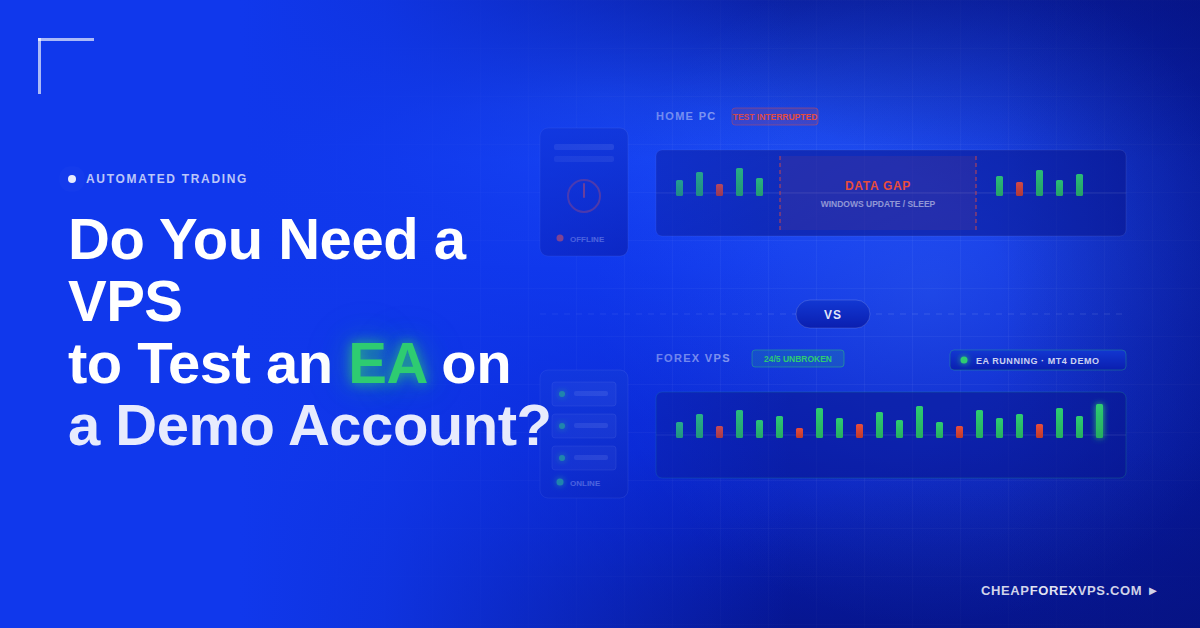
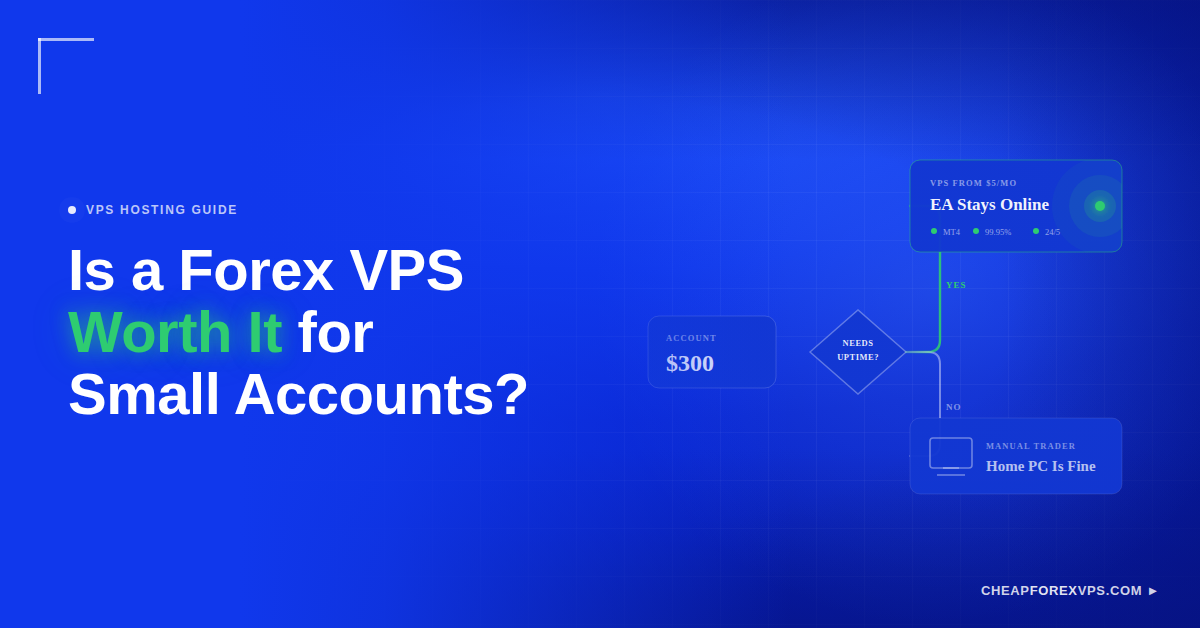
You install an Expert Advisor on a demo account, leave it running overnight, and wake up to find Windows restarted for an update at 3 a.m. The EA missed the London open entirely. Demo testing only tells you something useful if the platform stays open and connected the way it would during live trading, and a home computer cannot promise that. If you are forward-testing an EA for more than a single session, a Forex VPS is worth it. If you are backtesting or learning the platform, it is not.
A Forex VPS is a remote Windows server that runs MetaTrader 4 or MetaTrader 5 continuously, independent of your home computer or internet connection. Entry-level plans start from $5 a month, which makes the decision less about cost and more about whether your test needs uninterrupted runtime.
This guide covers when a VPS is necessary for demo testing, when your own PC is enough, what specs a demo EA actually needs, and how to read the results you get.
Do You Need a VPS for a Demo Account?
You need a VPS for a demo account when you are forward-testing an EA over days or weeks, because the test only reflects live conditions if the platform runs 24/5 without interruption. For quick backtests or brief settings checks on your own PC, a VPS adds cost without adding accuracy.
The distinction is runtime, not risk. A demo account carries no capital exposure, but an EA that misses entries because your laptop slept produces results that describe your hardware, not your strategy. Matching the test type to the hosting decision keeps you from paying for uptime you do not need or trusting data you should not.
| Test Type | Typical Duration | Needs a VPS? | Why |
| Strategy Tester backtest | Minutes to hours | No | Reads local history files, no broker connection required |
| Settings and input checks | Minutes | No | Supervised, interruptions cost nothing |
| Learning MT4 or MT5 | Ongoing, casual | No | Nothing is being measured |
| Single supervised demo session | A few hours | No | You are watching the terminal anyway |
| Multi-day forward test | Days to weeks | Yes | Gaps in the data distort the result |
| Broker comparison on demo | Weeks | Yes | Both terminals must run identical uptime |
| Multiple EA instances | Weeks | Yes | Local machine cannot host them reliably |
| Pre-live dress rehearsal | Weeks | Yes | Test environment should match live deployment |
A VPS does not make an EA profitable. It removes the variable of your own machine so the results describe the strategy.
What Is the Difference Between Forward-Testing and Backtesting?
Backtesting runs an EA against historical price data to check its logic. Forward-testing runs the same EA against live market data in real time, which is where hosting stability starts to matter. Both evaluate an EA, but they answer different questions and have different infrastructure requirements.
| Factor | Backtesting | Forward-Testing |
| Data source | Recorded historical ticks | Live broker price feed |
| Runs on | Local PC, Strategy Tester | Demo account, live market hours |
| Broker connection | Not required | Required and continuously |
| Speed | Compressed, months in minutes | Real time only |
| Reproduces spreads and slippage | Poorly | Partially |
| Hosting requirement | None | VPS for anything beyond one session |
| Answers | Is the logic sound? | Does it survive real conditions? |
What Is Backtesting?
Backtesting is the process of running an EA against recorded historical price data to see how it would have performed. It runs fine on a home PC, because the Strategy Tester reads from local history files and needs no broker connection. Its practical value sits in a narrow band of tasks:
- Testing strategy logic against old market data
- Comparing EA settings side by side
- Running optimization passes
- Catching obvious errors in entry and exit rules
Its limit is realism. Historical tick data cannot reproduce variable spreads, slippage, broker execution speed, or requotes during fast moves, which is why an EA with a clean backtest can still fail forward.
What Is Forward-Testing?
Forward-testing means running an EA against live market data in real time, usually on a demo account. This is where hosting becomes part of the test, because the EA can only survive spread widening, news volatility, and broker reconnects if the terminal stays open. That continuous exposure is what lets you verify:
- EA behavior against real-time price movement
- Whether orders execute as the logic intends
- Broker conditions and spread behavior
- Latency between platform and broker
- Technical faults, before real capital is involved
The forex market turns over roughly $7.5 trillion a day according to the Bank for International Settlements 2022 Triennial Survey, and that volume is not evenly distributed across the trading day. An EA tested only during the hours you happen to be awake has been tested against a fraction of the conditions it will face.
Why Does Uptime Matter Even on Demo?
Uptime matters on demo because an EA can only trade while the terminal is open and connected, so every interruption removes data from your test. A demo test with gaps in it is not a shorter test. It is a distorted one.
Quality Forex VPS providers guarantee 99.95% uptime, which works out to roughly 22 minutes of possible downtime per month. A home PC with Windows Update enabled can exceed that in a single reboot cycle.
What Can Go Wrong on a Home PC?
A home PC interrupts demo tests through ordinary, predictable events that have nothing to do with your strategy. Each one silently removes a window of market data from your results, and a VPS removes the cause rather than mitigating the symptom.
| Home PC Failure | What It Costs the Test | How a VPS Removes It |
| Windows update restart | Hours of missed session data, usually overnight | Reboots are scheduled and the terminal auto-restarts |
| Sleep or hibernation | Terminal disconnects mid-session | Server never sleeps |
| Router restart | Broker connection drops until reconnect | Data center uplink is redundant |
| Power cut | Full outage, EA state lost | Facility runs on UPS and generator backup |
| ISP drop | Trades missed with no log warning | Enterprise-grade network path |
| Platform freeze under load | Missed entries during volatility | Dedicated resources, no competing apps |
| Someone closes the terminal | Test ends without you knowing | No shared physical access |
One missed trade rarely matters on its own. It matters when the EA runs sequential logic: trailing stops, grid recovery, or partial exits that depend on a position that was never opened.
A VPS moves the terminal onto a remote server in a data center. You disconnect Remote Desktop and the EA keeps running, because your local machine was never part of the chain. This is the same reason serious traders rely on a Forex VPS once their strategies are automated.
Why Does 24/5 Testing Matter?
24/5 testing matters because forex trades continuously through the week, and an EA’s behavior changes with the session. An EA that looks stable during New York hours may behave differently during the thin liquidity of the late Asian session, so continuous runtime is what exposes it to the full range of conditions it will meet live.
| Market Condition | When It Occurs | What It Reveals About the EA |
| Asian session ranging | 00:00 to 08:00 GMT | Behavior in low volatility and wider spreads |
| London open | 07:00 to 09:00 GMT | Reaction to trend initiation and volume |
| London and New York overlap | 12:00 to 16:00 GMT | Performance at peak liquidity |
| Scheduled news releases | Varies by calendar | Handling of volatility spikes and requotes |
| Rollover | Around broker server midnight | Tolerance for sudden spread widening |
| Sunday open gap | Weekly | Whether gap logic and stops behave correctly |
Timing-dependent strategies are the clearest case. If the EA only runs while you are watching it, the sample is filtered by your sleep schedule rather than by the market.
Why Does Latency Matter on Demo?
Latency is the round-trip delay between your trading terminal and the broker’s server, measured in milliseconds. It is a physical distance problem, which is why hosting location changes the number more than hardware does.
| Setup | Typical Round-Trip | Suits |
| Home connection to overseas broker | 50 to 150 ms | Manual and swing trading |
| Home connection to domestic broker | 20 to 50 ms | Longer-hold EAs |
| VPS in the broker’s region | 5 to 20 ms | Most automated strategies |
| VPS in the broker’s data center (NY4, LD4, TY3) | Low single digits | Scalping and high-frequency EAs |
Testing on high latency and deploying on low latency changes your results. If you plan to run the EA live on a VPS near your broker, forward-testing on the same infrastructure removes one variable from the comparison and reflects how low network latency reduces slippage on real orders.
When Is Your PC Enough for Demo Testing?
Your PC is enough when the test is short, supervised, or exploratory rather than a measurement of continuous performance. At that stage you are learning the EA, not evaluating it.
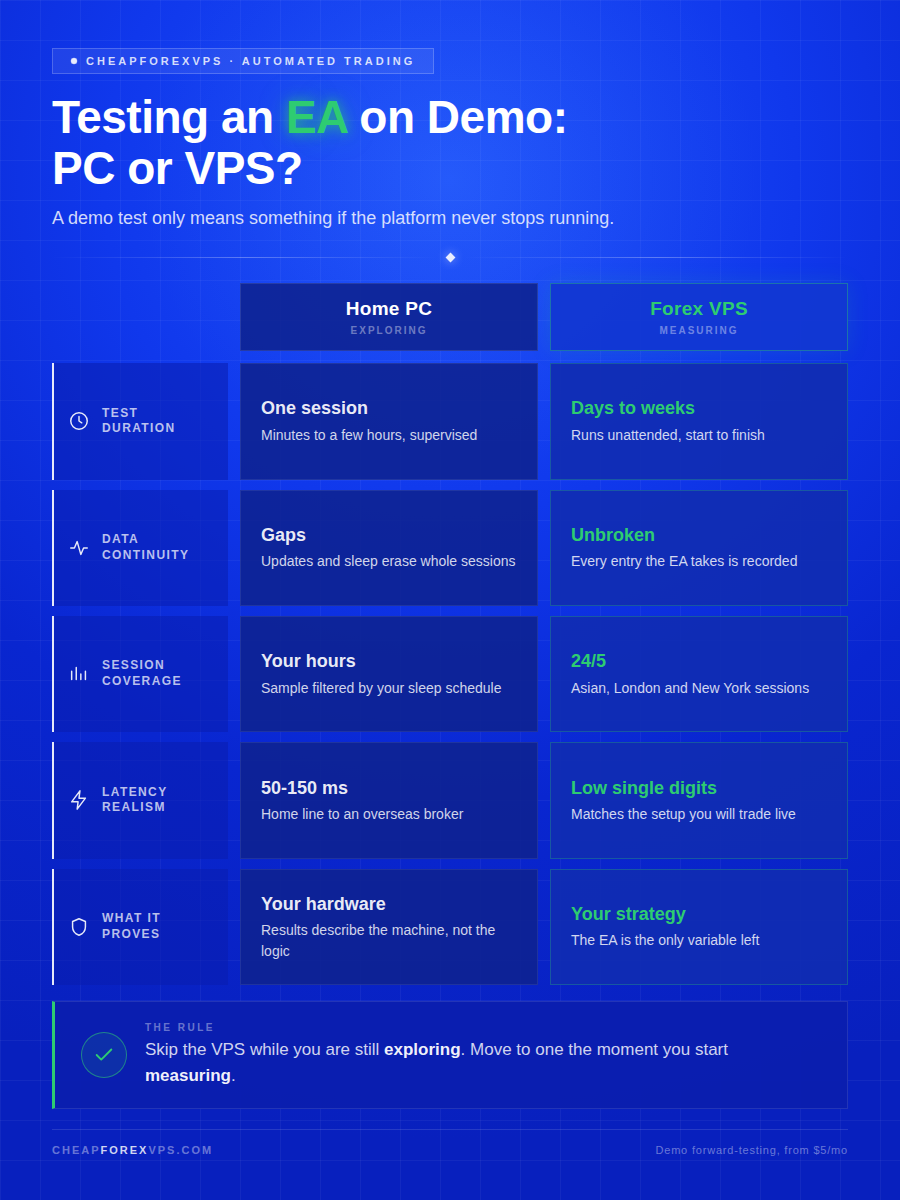
The dividing line is whether you are still changing the strategy or have started measuring it. Iteration belongs on your desktop, where the feedback loop is shortest. Evaluation belongs on a server, where nothing interrupts the sample.
| Signal | Stay on Your PC | Move to a VPS |
| Test duration | One session or less | Days to weeks unattended |
| Supervision | You watch every trade | EA runs while you sleep |
| Strategy stability | Logic changes hourly | Settings are frozen |
| Goal | Understand the EA | Measure the EA |
| Number of terminals | One | Two or more |
| Broker comparison | Not yet | Running side by side |
| Intended next step | More edits | Live deployment |
When Can You Skip the VPS?
Skip the VPS when the test does not need to survive your absence. A local machine is adequate for Strategy Tester runs, brief input changes, learning the terminal, single supervised demo sessions, and any stage where you are still deciding whether the strategy is worth pursuing at all.
Understand the EA before paying for hosting. If you are still rewriting the logic every few hours, local testing is faster because the feedback loop is shorter.
When Should You Move Testing to a VPS?
Move to a VPS when you stop changing the strategy and start measuring it. The trigger is the shift from iteration to evaluation: you want an unbroken data set across full weeks, the EA running through every session, comparable results between brokers or settings, and the same configuration you intend to deploy live.
At that stage you are no longer testing only the EA. You are testing the whole trading environment: broker, server, latency, uptime, and platform stability together.
What VPS Spec Is Enough for Demo Testing?
One light EA on a single MT4 terminal runs comfortably on 1 to 2 GB of RAM and 1 vCPU, which is what entry-level plans from $5 a month provide. Spec requirements scale with the number of terminals and charts, not with account type, so a demo EA needs the same resources as the live version of itself.
MetaTrader 4 typically consumes 200 to 400 MB of RAM per terminal with a handful of charts open, and Windows Server itself accounts for most of the remaining baseline on a small plan.
| Demo Testing Setup | Suggested RAM | Suggested CPU | Best For |
| One light EA | 1-2 GB | 1 vCPU | Basic forward test |
| One EA with indicators | 2 GB | 1-2 vCPUs | Standard demo testing |
| Two EAs or two terminals | 4 GB | 2 vCPUs | Comparing systems |
| Multiple platforms | 4-8 GB | 2-4 vCPUs | Serious automated testing |
| Heavy bot setup | 8 GB+ | 4+ vCPUs | Advanced or high-frequency testing |
Can You Use the Cheapest VPS Plan?
Yes, the cheapest plan works for one light EA on one demo terminal. It needs enough headroom for Windows, MetaTrader, and normal platform activity, and nothing more.
The failure mode is under-provisioning. If the server runs out of RAM and starts paging to disk, the terminal freezes or disconnects, and the test data becomes worthless for the same reason a home PC reboot does. Keeping charts and indicators trimmed is part of how you optimize an affordable virtual private server so a small plan stays stable.
What Should You Check During the Test?
Track infrastructure metrics alongside profit and loss, because a demo test measures the setup as much as the strategy. Each metric below tells you whether a disappointing result came from the EA’s logic or from the environment it ran in.
| Metric to Track | Where to Find It | What It Tells You |
| Trades placed versus signals expected | Account History tab | Whether the EA is firing on every valid setup |
| Missed entries in active sessions | Experts tab timestamps | Whether uptime gaps are eating your sample |
| Connection drops | Journal tab | Whether the broker link or the VPS is unstable |
| Spread behavior at news and rollover | Market Watch, logged | Whether entries are triggering at realistic prices |
| Slippage on execution | Order comments | How far fills sit from intended entry |
| CPU usage during volatility | Windows Task Manager | Whether the plan has headroom under load |
| RAM usage with all EAs loaded | Windows Task Manager | Whether the server is paging to disk |
| EA and journal errors | Experts and Journal tabs | Whether faults are code-level or platform-level |
| Broker reconnect frequency | Journal tab | Whether the broker server itself is the weak link |
This separates strategy problems from setup problems. An EA that lost money because it missed three entries has not been tested. It has been interrupted.
How Should You Read Demo Test Results?
Read demo results as evidence that the EA runs correctly, not as evidence that it will be profitable live. Demo servers fill orders under conditions that a live account does not reproduce.
What Can Demo Testing Show?
Demo testing shows whether the mechanics work before real money is exposed. It answers technical questions with reasonable confidence: whether the EA opens trades on the signals it should, whether exits and trailing logic fire correctly, whether input settings behave as documented, whether the platform holds its broker connection, whether the EA respects session and time filters, and whether the server has adequate resources under load.
Fixing a coding fault on demo costs nothing. Discovering the same fault on a funded account costs the position.
What Can Demo Testing Not Prove?
Demo testing cannot prove live performance, because demo execution is simulated rather than routed to real liquidity. The gap is widest in exactly the conditions that hurt most, and no amount of hosting quality closes it.
| Condition | On Demo | On Live |
| Spreads | Often fixed or idealized | Widen with real order flow |
| Liquidity | Assumed unlimited | Finite at each price level |
| Slippage | Minimal or simulated | Real, and worst during fast moves |
| Requotes | Rarely issued | Common in volatile conditions |
| Fills | Full, at requested price | Partial fills possible at size |
| Commission and swap | Frequently ignored | Deducted from every result |
| Execution routing | Simulated by broker server | Routed to liquidity providers |
Past performance on demo does not guarantee live results. Forex and CFD trading carries risk, and traders can lose capital when they move from simulation to a funded account.
Do You Need a VPS for Demo EA Testing: Key Takeaways
Use a VPS when the demo test is a measurement, and skip it when the test is exploration. A multi-week forward test you intend to trust needs uninterrupted runtime, stable connectivity, and consistent latency, and a home machine delivers none of those reliably. Treat the results as a filter rather than a forecast: a clean test confirms the EA runs correctly across sessions, but it cannot predict fills, spreads, and slippage on a funded account.
Compare Forex VPS plans and pick the specs your EA actually needs, backed by a 99.95% uptime guarantee and a 5-day money-back guarantee if the setup is not right for your strategy. Compare Forex VPS plans at CheapForexVPS.
Frequently Asked Questions About VPS Demo EA Testing
Can I use the cheapest plan for demo testing?
Yes, if you are running one light EA on a single MT4 or MT5 terminal. Entry-level plans from $5 a month handle that comfortably.
Move up a tier once you add a second terminal, multiple EAs, or a chart-heavy setup with several indicators.
Will demo results match live on a VPS?
Not exactly. A VPS makes the technical setup realistic, but it cannot change how a demo server fills orders.
Expect differences in spreads, slippage, liquidity, and broker execution. The VPS removes hardware variance, not the demo-to-live gap.
How long should I forward-test?
Plan for several weeks at minimum, and longer if your EA trades infrequently. You want enough trades to be statistically meaningful, not just enough days on the calendar.
The goal is exposure to different sessions, volatility levels, and news events before you risk capital.
Do I need a VPS in the same location as my broker?
Only if latency is part of what you are testing. For strategies that hold positions for hours or days, a few extra milliseconds changes nothing measurable.
For scalping or high-frequency EAs, choose a data center near your broker’s server, such as Equinix NY4, LD4, or TY3.
Can I run backtests on a VPS instead of my PC?
You can, but it is usually inefficient. Strategy Tester optimization is CPU-heavy and will saturate a small VPS while your desktop sits idle.
Run optimization locally and reserve the VPS for the forward test that needs continuous uptime.
Can I test multiple EAs on one VPS?
Yes, provided the plan has the resources for it. Two terminals with one EA each run well on 4 GB of RAM and 2 vCPUs.
Give each EA its own terminal and demo account so their trades and journal logs stay separate.