Contact Info
118 ALJUNIED AVENUE 2, SINGAPORE (380118)
support@cheapforexvps.com


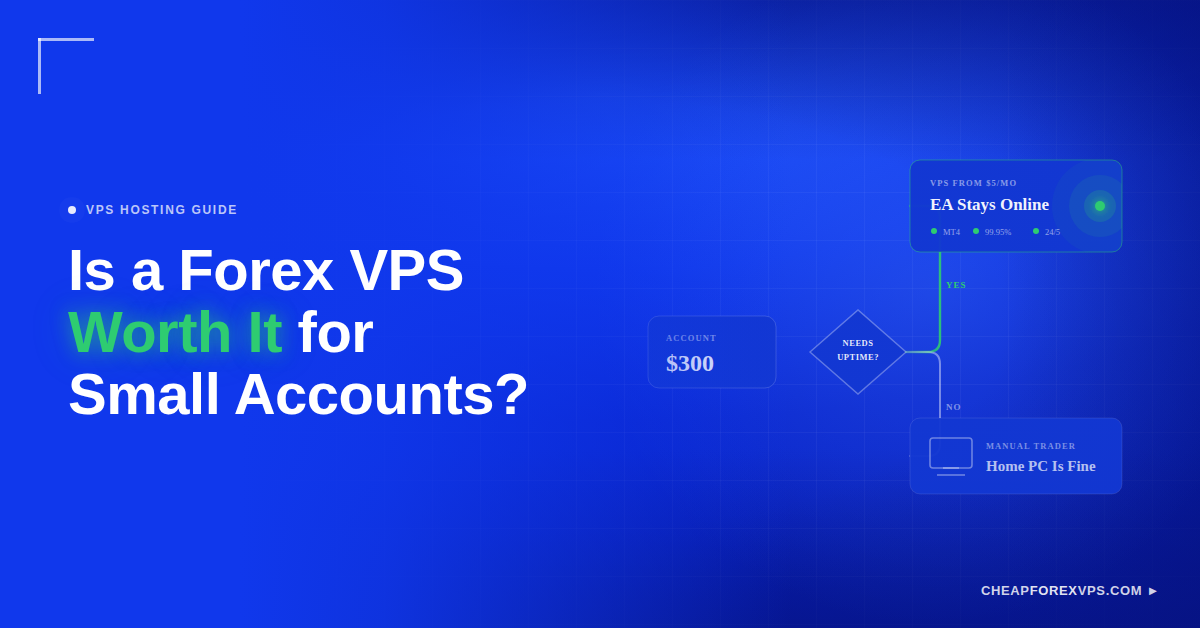
Your Expert Advisor is running a grid strategy at 3 a.m. and your home internet drops for eleven minutes. The trade stays open, the stop never triggers, and you wake up to a loss larger than a year of hosting fees. A Forex VPS is worth it for a small account when your strategy depends on the platform staying online, and it is unnecessary when it does not.
That distinction matters more than your balance. A trader with $300 running an automated system has a different infrastructure requirement than a trader with $30,000 placing two swing trades a month.
This guide covers the cost versus benefit math on a small balance, the trading styles where a VPS pays for itself, when a home PC is the better choice, and the specifications a small account actually needs.
What Is a Forex VPS and Why Does Account Size Not Decide It?
A Forex VPS is a Windows virtual private server hosted in a data center that runs your trading platform independently of your home computer, and the decision to use one depends on strategy dependency rather than account size. You connect through Remote Desktop, start MT4 or MT5, then disconnect while the platform keeps trading.
The server continues running because it sits in a facility with redundant power and network connections. Your home PC does not have either.
Strategy dependency is the real test, and each setup below creates a different dependency on uptime.
| Setup | What It Depends On | Dependency Level |
| Expert Advisors | Terminal open and connected around the clock | Total |
| Copy trading | Continuous synchronization with the master account | Total |
| Scalping | Execution delay small enough to protect the fill | High |
| News trading | Platform responsiveness during fast price movement | High |
| Multiple terminals | Resources for several accounts running at once | High |
| Manual swing trading | The trade decision, not the connection | None |
A VPS removes technical failure from the equation. It does not make an unprofitable strategy profitable.
Small balances feel these failures harder. A $300 account absorbing a single unmanaged loss loses a percentage of capital that a $30,000 account would barely register.
What Is the Cost vs Benefit Math on a Small Balance?
Entry-level Forex VPS hosting starts from $5 a month, so the break-even point is a single prevented technical error per month. The comparison is not the fee against your balance. It is the fee against the cost of the problems it prevents.
How Much Does a Cheap VPS Actually Cost?
Entry-level plans at CheapForexVPS start from $5 a month, and longer billing terms reduce the monthly rate further. Most low-cost VPS providers price quarterly, annual, and bi-annual terms below the monthly equivalent, and five specifications drive the rest of the price.
| Specification | Why It Affects Cost |
| RAM | Determines how many terminals and EAs run without freezing |
| CPU cores | Handles chart calculation and EA processing load |
| Data center location | Proximity to broker servers drives latency and infrastructure cost |
| Billing term | Longer commitments lower the effective monthly rate |
| Uptime commitment | A 99.95% guarantee requires redundant hardware |
For a small account, the correct plan is the smallest one that runs your platform without lag. Paying for eight cores to run one MT4 terminal with three charts wastes capital you could be trading.
How Does Slippage Change the Math?
Slippage is the difference between the price you expected and the price your order actually filled at. Negative slippage adds directly to your trading cost on every affected trade.
Consider a $300 account trading micro lots, where a few bad fills or one missed exit per month produces a hidden cost that dwarfs a $5 fee.
| Situation | Possible Monthly Impact |
| VPS cost | $5 to $10 |
| One missed EA entry | Frequently exceeds the annual fee |
| One delayed exit during a volatility spike | Frequently exceeds the annual fee |
| Several small slippage events | Accumulate quietly across the month |
| One platform outage with an open position | Can exceed the fee many times over |
The exact figure depends on lot size, trade frequency, and broker execution quality. The logic does not change: one prevented technical error covers the cost.
Why Does a $100 Manual Trader Differ From a $100 EA Trader?
Two accounts with identical balances can have opposite hosting requirements. The variable is not capital, it is whether the platform must run when you are not at the desk.
| Factor | $100 Manual Trader | $100 EA Trader |
| Platform must run unattended | No | Yes |
| Cost of a dropped connection | One delayed manual entry | Unmanaged open position |
| Trades placed per week | One or two | Continuous |
| VPS verdict | Keep the money in the account | Worth it before the account grows |
Ask one question: does my setup require the platform to stay online and connected when I am not at the desk? The answer decides it, not the balance.
When Does a Cheap VPS Pay for Itself?
A cheap VPS pays for itself the first time it prevents a missed EA trade, a delayed exit, a copy trading gap, or an outage during an open position. Three trading styles hit that threshold reliably.
When Do Automated Traders Benefit Most?
Expert Advisors require the terminal to stay open and connected to the broker. When MT4 or MT5 closes, the EA stops managing entries, exits, trailing stops, and adjustments entirely, and a home setup fails in six predictable ways that a VPS eliminates.
| Home PC Failure Point | Effect on the EA | On a VPS |
| PC powered off or asleep | Terminal closes, EA stops | Server stays on |
| Home internet drops | Broker connection lost | Data center network holds |
| Windows update restarts the machine | Terminal closes mid-trade | Updates scheduled outside sessions |
| Trader asleep or away | No one restarts the platform | No intervention needed |
| Remote Desktop session closed | Nothing, EA continues | Nothing, EA continues |
| Power outage at home | Everything stops | Redundant power |
CheapForexVPS builds its infrastructure around MT4 and EA workloads specifically, with a 99.95% uptime guarantee backing the hosting. That figure matters most for grid, hedge, and trailing stop systems where an unmanaged position compounds risk with every hour it stays open.
When Do Scalpers Benefit Most?
Latency is the round-trip time between your terminal sending an order and the broker’s server acknowledging it. Scalpers feel it more than any other style because their profit targets are measured in the same pips that execution delay costs them.
Placing the server near the broker’s matching engine cuts the network portion of that delay, and CheapForexVPS operates in the four facilities where brokers concentrate.
| Data Center | Location | Serves |
| Equinix NY4 | New York | US and offshore brokers, New York session |
| LD4 | London | European brokers, London session |
| TY3 | Tokyo | Asian brokers, Tokyo session |
| Singapore | Singapore | Asia-Pacific brokers and copy trading networks |
Latency reduction has a hard limit. Market gaps, thin liquidity, spread widening, and broker execution speed remain unaffected by where your server sits. What proximity removes is the avoidable portion of the delay, which is the portion a scalper controls.
When Do Copy Traders Benefit Most?
Copy trading transmits signals in real time, so an offline receiving account misses them permanently rather than catching up later. If the master account closes a position and your terminal is down, you stay exposed to a trade the signal provider already exited.
| Master Account Action | Receiver Online | Receiver Offline |
| Opens a position | Copied within seconds | Missed entirely |
| Closes a position | Copied, exposure ends | Position stays open and unmanaged |
| Adjusts a stop | Adjustment mirrored | Original stop remains |
For a small account, one missed copied exit can erase weeks of gains. Continuous uptime is not a convenience for copy trading. It is the mechanism itself.
Traders running several MT4 terminals or multiple broker accounts get a second benefit: the entire environment lives on one remote server rather than competing for resources on a home machine.
When Should You Skip a VPS and Use Your PC?
Skip the VPS when your trading is manual, infrequent, and closes at the end of each session. A home PC handles that workload without cost.
When Is a Home PC Enough?
A home computer is sufficient when nothing in your setup runs unattended, which describes a large share of traders in their first year and shows up as seven specific habits.
| Your Habit | Why a Home PC Covers It |
| Trade manually without automation | Nothing runs when you close the platform |
| Trade infrequently | Platform demand is limited to your session |
| Do not run EAs or robots | No process needs continuous uptime |
| Do not scalp | Execution delay does not decide the trade |
| Do not copy trades | No signal to miss while offline |
| Close the platform after each session | Downtime carries no cost |
| Still learning platform basics | Demo practice has no live exposure |
For a swing trader holding positions for days, server location changes nothing about the outcome. The trade decision carries the result.
When Should You Wait Before Paying?
Wait when the trading plan itself is unsettled. A VPS is infrastructure for a decided strategy, and buying it before the strategy exists means paying to host indecision.
| Signal to Hold Off | What to Fix First |
| No tested strategy | Backtest and forward-test before automating |
| Changing systems daily | Commit to one approach long enough to judge it |
| Not using automation | Confirm the platform needs to run unattended |
| Fee is not comfortably affordable | Build the balance before adding fixed costs |
| Expecting hosting to fix risk management | Set position sizing and loss limits |
| No settled broker | Choose the broker before choosing server location |
A VPS supports execution. It does not create an edge or repair a bad trade decision.
What Should Small Accounts Prioritize First?
Position sizing and loss control protect a small balance more than any infrastructure decision. A trader risking 20% per trade on a flawless server fails faster than a trader risking 1% on a home PC, so confirm seven fundamentals before ordering any hosting.
| Priority | What to Confirm |
| Position size | Risk per trade sits at a fixed percentage of the balance |
| Stop-loss discipline | Every trade carries a stop, without exception |
| Daily loss limits | A hard number that ends the trading day |
| Broker spreads | Costs are known under normal conditions |
| Trade frequency | You know how many trades a typical week produces |
| Written strategy rules | Rules exist on paper before they exist in code |
| Trading journal | Entries and exits are reviewable after the fact |
Once those are established, hosting improves the technical layer underneath them.
How Do You Choose a VPS for a Small Account?
Choose the smallest plan that runs your platform without lag, from a provider that specializes in trading workloads and offers an upgrade path. Oversized plans waste capital and undersized plans freeze during active sessions.
What Specifications Are Enough?
One MT4 or MT5 terminal with a handful of charts and one light EA runs comfortably on an entry-level plan. The requirement scales with terminals and EAs, not with account balance.
| Specification | Small Account Baseline | When to Upgrade |
| CPU | 1 to 2 cores | Multiple EAs or heavy indicator load |
| RAM | 1 to 2 GB | More than one terminal running |
| Storage | SSD or NVMe | Rarely a constraint for trading |
| OS | Windows for MT4 or MT5 | Not applicable |
| Access | Remote Desktop | Not applicable |
| Latency | Low ping to your broker | Not applicable |
Running multiple EAs or several MT4 terminals on a 1 GB plan produces freezes during volatile sessions, which is the exact moment the platform needs to respond.
What Should You Avoid?
Avoid selecting on price alone. A cheap VPS delivers value only if it is stable, and an unstable server reintroduces the failures you paid to eliminate, usually through one of six red flags.
| Red Flag | What It Costs You |
| No trading focus or forex experience | Infrastructure tuned for websites, not terminals |
| Server far from your broker | Latency worse than the home connection you replaced |
| Insufficient RAM for the workload | Freezes during the sessions that matter most |
| No support channel | Setup problems become downtime |
| No upgrade path | A forced migration once the account grows |
| Overloaded shared environment | Performance swings with other tenants’ activity |
Specialization matters here. CheapForexVPS has operated in the trading VPS market for more than seven years, and a 5-day money-back guarantee means the stability claim is testable before the money is committed.
How Do You Judge Value?
Judge value by what the hosting prevents, not by the line item on your statement. Six questions convert that principle into a decision.
| Question | A Yes Means |
| Does the platform stay online without my intervention? | The core failure mode is covered |
| Is latency to my broker lower than my home connection? | The upgrade is measurable, not assumed |
| Does the EA run without interruption? | Automation is genuinely unattended |
| Are missed trades measurably less likely? | The fee has a return attached |
| Is Remote Desktop access stable? | Management overhead stays low |
| Can I upgrade as the account grows? | The plan will not need replacing |
For most small traders, the answers turn positive only when automation is involved. If the platform does not need to run unattended, the value is genuinely lower.
Is a Forex VPS Worth It for Small Accounts: Key Takeaways
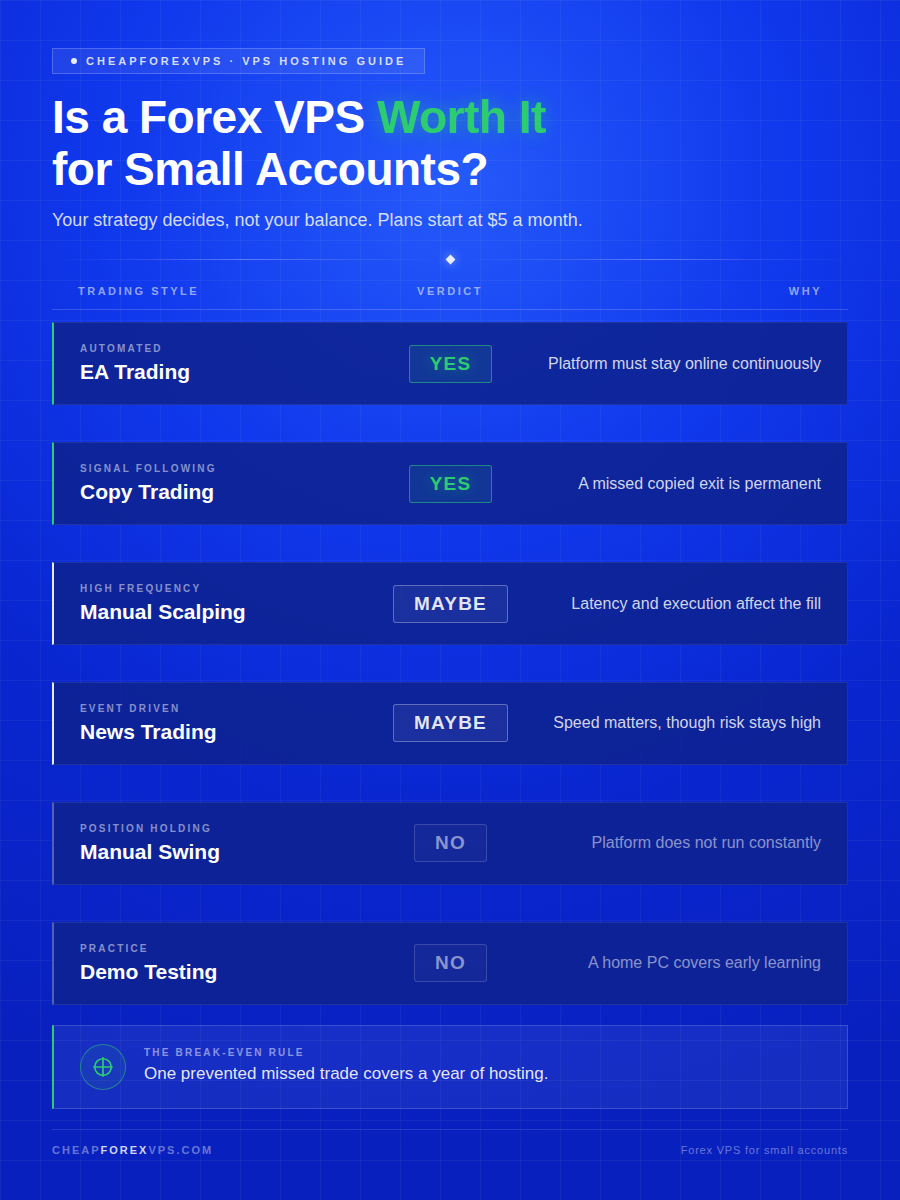
A Forex VPS is worth it for a small account when the strategy depends on uptime, automation, or execution speed. It is not worth it when the trader places occasional manual trades and closes the platform afterward.
| Trading Style | Is a VPS Worth It? | Why |
| Manual swing trading | Usually no | Platform does not need to run constantly |
| Manual scalping | Sometimes | Latency and execution quality affect the fill |
| EA trading | Yes | Platform must stay online continuously |
| Copy trading | Yes | A missed copied exit is costly and permanent |
| News trading | Sometimes | Speed matters, though risk stays elevated |
| Demo practice | Usually no | A home PC covers early learning |
A small account should not spend blindly, and it should not lose capital to preventable technical failures either.
Tell the team what you run and get a plan matched to your workload, starting from $5 a month: contact CheapForexVPS.
Frequently Asked Questions About Forex VPS for Small Accounts
What is the minimum account size for a VPS?
There is no minimum. What matters is whether your strategy depends on uptime, automation, copy trading, or low latency.
A $200 account running an EA has a stronger case than a $20,000 account placing two manual trades a month.
Can a VPS help a $100 account?
Yes, in specific cases. If that account runs an EA, copy trading software, or a latency-sensitive setup, a $5 plan protects it from failures that cost more than the fee.
It will not fix poor risk management or an untested strategy. Those problems follow you to the server.
Is the cheapest plan enough?
For one light MT4 or MT5 setup with a few charts and a single EA, yes. Entry-level plans handle that workload without lag.
Upgrade when you add terminals, run multiple EAs, or notice CPU and RAM staying high during live sessions.
Will a VPS reduce my slippage?
Partially. A server near your broker cuts the network delay portion of slippage, which is the part you control.
It cannot remove slippage caused by market gaps, thin liquidity, or spread widening. Those originate with the market and the broker.
Do I need to keep Remote Desktop open for my EA to run?
No. Once the terminal is running on the server, you can close the Remote Desktop session and the EA keeps trading.
That is the core difference from a home PC, where closing the machine stops everything.
What happens to my trades if the VPS goes down?
Open positions stay at the broker, but nothing manages them until the platform reconnects. Stops and take-profits placed at the broker still execute.
This is why the uptime guarantee matters. CheapForexVPS backs its hosting with a 99.95% uptime commitment.