Contact Info
118 ALJUNIED AVENUE 2, SINGAPORE (380118)
support@cheapforexvps.com


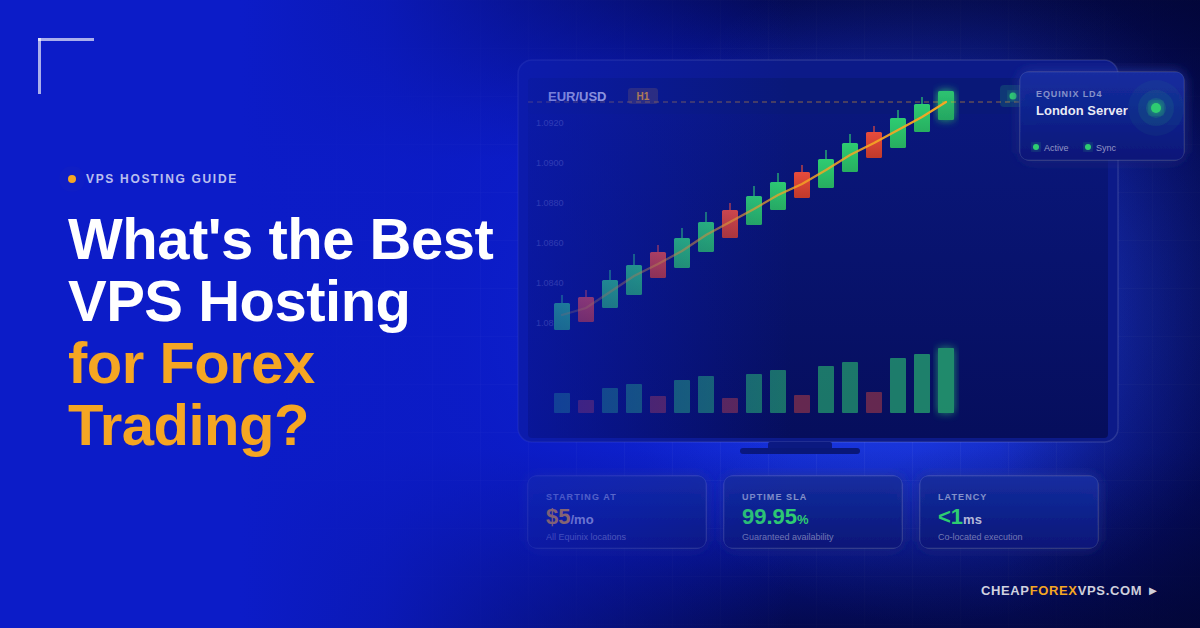
Running an Expert Advisor on a home PC is the most common and most costly infrastructure mistake in retail Forex. Home internet connections drop. Computers restart for updates. Broker servers are thousands of miles away. Each of these factors adds latency, and latency costs money on every single trade.
The best VPS hosting for Forex trading is a Windows-based virtual private server co-located inside the same Equinix financial data center as your broker’s execution engine, with a guaranteed uptime of at least 99.95%.
This guide covers every factor that determines Forex VPS quality: server location, hardware requirements, uptime standards, OS optimization, and how to avoid the infrastructure mistakes that cost traders real money.
Why Does Latency Matter More Than Any Other VPS Spec?
Latency is the time it takes for your order to travel from the trading platform to the broker’s execution server and return confirmed, and in Forex trading, minimizing it is the entire purpose of using a VPS.
Slippage occurs when your order fills at a different price than you intended, because the market moved during the time your signal was in transit. The global foreign exchange market processes approximately $7.5 trillion in daily volume, according to the Bank for International Settlements 2022 Triennial Survey. At that scale, prices change in microseconds, and orders that arrive late fill at worse prices.
A home broadband connection routed from Singapore to a London-based broker produces latency of 150 to 200 milliseconds under normal conditions. A CheapForexVPS server positioned inside Equinix LD4 in London delivers latency of under 1 millisecond to brokers co-located in the same facility.
|
Connection Type |
Latency to London Broker | Slippage Risk |
|
Home broadband (Singapore) |
150 to 200ms |
High |
| Generic cloud VPS (non-financial DC) | 30 to 50ms |
Moderate |
| CheapForexVPS at Equinix LD4 | Under 1ms |
Minimal |
That gap between 200ms and under 1ms determines whether an Expert Advisor enters at its intended price or absorbs slippage on every execution.
What Hardware Specs Does a Forex VPS Actually Need?
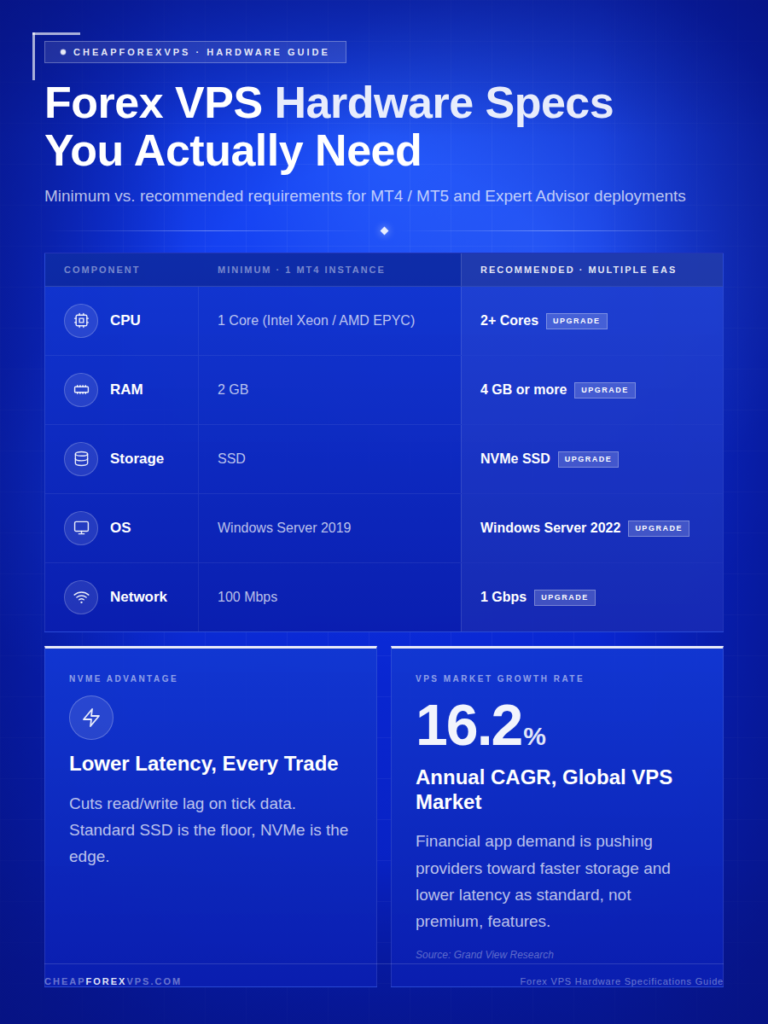
The minimum viable Forex VPS runs on 1 CPU core, 2GB of RAM, and SSD or NVMe storage on Windows Server 2019 or 2022.
Hardware requirements scale directly with the number of MT4 or MT5 instances and Expert Advisors running at the same time. A single MT4 instance with a few charts and one EA runs cleanly on 2GB of RAM. Running three or more platforms, or EAs with heavy tick-data processing, requires 4GB or more to prevent order queuing.
|
Component |
Minimum (1 MT4 Instance) | Recommended (Multiple EAs) |
|
CPU |
1 Core (Intel Xeon / AMD EPYC) | 2+ Cores |
|
RAM |
2GB | 4GB or more |
| Storage | SSD |
NVMe SSD |
| Operating System | Windows Server 2019 |
Windows Server 2022 |
| Network Interface | 100Mbps |
1Gbps |
NVMe storage is preferred over standard SSD because it reduces read/write latency on trading logs and tick data. The global VPS market is growing at a compound annual growth rate of 16.2%, according to Grand View Research, driven primarily by demand for high-availability financial applications. That competitive pressure is pushing providers toward faster storage and lower-latency networking as baseline features, not premium add-ons.
How Does a Forex VPS Compare to Standard Hosting Options?
A specialized Forex VPS outperforms standard web hosting and generic cloud servers on every metric relevant to trading: latency, uptime, OS configuration, and support expertise.
Standard web hosting is built to serve websites, not to run financial software. Generic cloud instances from general-purpose providers are located in data centers with no proximity to broker matching engines. A Forex-specialized provider operates inside Equinix financial facilities, the same buildings where most major brokers colocate their execution infrastructure.
|
Feature |
Standard Web Hosting | Generic Cloud VPS | CheapForexVPS |
|
Latency to Brokers |
100ms or more | 30 to 50ms | Under 5ms |
|
OS Optimization |
None | General purpose | MT4/MT5-optimized |
| Uptime Guarantee | 99.0% | 99.9% |
99.95% |
| Trading Platform Support | None | Limited |
24/7 Forex-specific |
| Entry Price | Varies | $10 to $20/month |
From $5/month |
The 5-day money-back guarantee from CheapForexVPS removes the financial risk of testing real-world latency before committing to a plan.
How Do You Choose the Right Server Location for Your Broker?
The correct server location for your Forex VPS is the specific Equinix facility where your broker’s primary execution server operates.
Equinix is the world’s largest data center colocation provider and hosts the matching engines of most major retail and institutional Forex brokers. The four primary financial Equinix facilities are NY4 in Secaucus, New Jersey (serving US and New York-regulated brokers), LD4 in Slough, UK (serving European and London brokers), TY3 in Tokyo (serving Asia-Pacific brokers), and SG1 in Singapore (serving Southeast Asian brokers). CheapForexVPS maintains server presence in all four locations.
Follow these steps to confirm the right location before purchasing:
- Contact your broker’s support team and ask which Equinix data center their primary execution server operates in.
- Match that data center to the corresponding CheapForexVPS location: NY4, LD4, TY3, or Singapore.
- Run a ping test from the VPS to your broker’s server IP immediately after setup.
- Confirm round-trip latency is under 5ms for co-located setups and under 20ms for same-city setups.
Research from Forrester indicates that 77% of organizations deploying latency-sensitive applications rank infrastructure proximity as their top selection criterion. Retail traders competing for execution speed face the same constraint as institutional firms.
What Are the Most Common Forex VPS Setup Mistakes?
The three most damaging Forex VPS setup mistakes are selecting the wrong server location, underprovisioning RAM, and running an unoptimized Windows environment.
Each mistake has a specific and measurable cost. Wrong location adds fixed latency on every trade that no software can remove. Insufficient RAM causes order queuing during volatile market events. An unoptimized Windows environment wastes CPU cycles on background processes and risks automatic reboots mid-session.
|
Mistake |
Root Cause | Direct Cost |
|
Wrong server location |
Choosing by price, not by broker proximity | 80 to 150ms of irreversible fixed latency |
| Insufficient RAM | Starting too small without scaling plan |
Order queuing and platform freezes during NFP or FOMC |
| Unoptimized Windows Server | Default settings left unchanged |
CPU spikes and unscheduled automatic reboots |
Wrong Server Location
Hosting a VPS in Frankfurt when your broker executes in Equinix NY4 adds 80 to 100 milliseconds of fixed latency to every order. That gap cannot be closed by any hardware upgrade or software configuration. Proximity is a setup decision made before trading begins, not a performance parameter that can be adjusted afterward.
Insufficient RAM Allocation
Running two or more MT4 instances on 1GB of RAM causes the platform to queue orders internally before transmitting them. During high-volatility events like Non-Farm Payrolls or FOMC announcements, that queue can result in fills that are several pips from the intended entry price.
Unoptimized Windows Server Environment
Windows Server, in its default configuration, runs scheduled updates, visual rendering processes, and background services that consume CPU and can trigger automatic reboots. These defaults are acceptable for general-purpose use and unacceptable for a 24/5 automated trading environment. Disabling non-essential processes at setup eliminates this risk entirely.
How Do You Optimize a Forex VPS After Setup?
Optimizing a Forex VPS means eliminating every non-essential background process, disabling automatic reboots, and verifying that CPU usage stays below 70% during peak market hours.
The objective is a server where 100% of available resources are reserved for the trading platform. Four configuration changes achieve this immediately after first login:
- Disable automatic Windows Updates: Set the update schedule to outside market hours or require manual approval before any update installs and triggers a reboot.
- Enable performance mode: Open System Properties, navigate to Performance Settings, and select “Adjust for best performance” to disable all animations and visual effects.
- Audit background processes: Open Task Manager and identify any non-trading service consuming more than 2% CPU at idle. Disable those services.
- Monitor peak load: CPU usage above 70% during the London or New York session is a signal to upgrade to a higher-resource plan before the load causes order delays.
Windows Server is the correct operating system for MT4 and MT5. Both platforms are native Windows applications. Running either on Linux requires Wine, a compatibility layer that is not officially supported by MetaQuotes or most commercial EA developers, and that introduces instability in production trading environments.
Conclusion
The best VPS for Forex trading is not the cheapest option or the one with the most storage. It is the server physically closest to your broker’s matching engine, running a lean Windows environment with RAM scaled to your actual EA workload.
Three factors determine whether a Forex VPS is fit for purpose: co-location inside a financial data center such as Equinix NY4 or LD4, a minimum uptime guarantee of 99.95%, and hardware provisioned to handle your specific platform requirements without queuing orders. Everything else is secondary.
CheapForexVPS delivers all three, with plans starting at $5 a month, a 5-day money-back guarantee, and server presence across Equinix NY4, LD4, TY3, and Singapore. For traders running Expert Advisors on live accounts, the infrastructure decision is not optional.
Start with the right foundation with CheapForexVPS.
Frequently Asked Questions
What is a Forex VPS?
A Forex VPS is a remote Windows server hosted inside a financial data center, designed to run trading platforms like MT4 or MT5 continuously without requiring your home PC to stay on. It connects to your broker’s execution server at low latency, typically under 5 milliseconds for co-located setups, enabling Expert Advisors to operate 24 hours a day, 5 days a week without interruption.
Does server location really matter for Forex trading?
Yes. Physical proximity to your broker’s server is the primary driver of execution speed. A VPS co-located with your broker inside Equinix LD4 produces latency under 1ms. A VPS in a different country adds 80 to 150 milliseconds of fixed, unavoidable delay to every single order. Location is not a preference; it is the most important infrastructure decision a trader makes.
How much RAM does MT4 require on a VPS?
For a single MT4 instance with a few charts and one Expert Advisor, 2GB of RAM is sufficient. Running three or more MT4 instances simultaneously, or EAs that process large tick data sets, requires 4GB or more. Underprovisioning RAM is one of the most common causes of platform freezes during high-volatility market events.
Can I use a free VPS for Forex trading?
Free VPS services do not offer uptime SLAs, have no latency guarantees, and are located in general-purpose data centers far from financial exchange infrastructure. For live trading accounts, a paid service with a minimum 99.95% uptime guarantee and financial data center presence is the correct choice. The cost of a single missed trade during downtime far exceeds the monthly cost of a professional plan.
Is Windows or Linux better for a Forex VPS?
Windows Server is the correct choice for Forex trading. MT4, MT5, and the majority of commercial Expert Advisors are native Windows applications. Running them on Linux requires Wine, a compatibility layer that is not officially supported by MetaQuotes or most EA vendors and that introduces instability in production environments.
What uptime guarantee should I look for in a Forex VPS?
Look for a minimum guaranteed uptime of 99.95%. At 99.95%, planned and unplanned downtime totals less than 4.4 hours per year. A 99.9% guarantee allows up to 8.7 hours of downtime annually. For an automated trading setup running 24 hours a day across all five trading sessions, the difference between those two figures is significant.
How do I install an Expert Advisor on a VPS?
Log into the VPS via Remote Desktop Protocol (RDP), open MT4, and copy your EA files into the MQL4/Experts folder. The process is identical to installing an EA on a local PC. The EA runs continuously from that point without requiring your home machine to remain on or connected to the internet.
Can I access my Forex VPS from a smartphone?
Yes. The Microsoft Remote Desktop app is available on both Android and iOS and provides full access to your VPS from any device with an internet connection. You can monitor open positions, adjust EA parameters, and restart the platform remotely.
What is slippage, and how does a VPS reduce it?
Slippage is the difference between the price at which you intended to enter a trade and the price at which it actually executed. It occurs when latency allows the market to move during the time between placing an order and its arrival at the broker’s server. A low-latency VPS co-located near the broker’s matching engine compresses that window to under 1 millisecond, reducing slippage to near zero on most trade types.
How do I verify the latency from my VPS to my broker’s server?
Ask your broker for the IP address of their primary execution server. Once logged into the VPS via RDP, open the Windows Command Prompt and run: ping -t [broker IP]. A result under 5ms confirms co-location or near-co-location. Results above 20ms indicate the VPS and the broker’s server are in different data centers or different cities, and a location change should be considered.