Contact Info
118 ALJUNIED AVENUE 2, SINGAPORE (380118)
support@cheapforexvps.com



Best Cheap VPS for Prop Firm Demo Challenges & Evaluations
*Short answer: The cheapest way to prepare for a prop firm challenge is to rehearse it first, on the firm’s free trial or on a broker demo set up with the same rules. A small VPS, such as a 1-core, 2 GB plan in the data centre closest to the firm’s servers, keeps your EA running the practice 24/5 so the rehearsal matches the real thing.*
Traders often fail a paid challenge for the same few reasons: one bad day that breaks the daily loss limit, a losing streak that hits maximum drawdown, or an EA that was offline at the wrong moment. All three can be found and fixed before you pay. This guide shows how to rehearse a challenge, copy its rules onto a demo, build safety limits into your EA and run it all on a cheap VPS. If you want to know what firms allow on a VPS, read our separate guide: do prop firms allow a VPS? FTMO and FundedNext rules.
Option 1: Use the Prop Firm’s Free Trial
Several firms offer free trials that mirror their paid challenges. They are the most realistic practice, because you trade on the firm’s own servers with its own rules.
FTMO Free Trial
According to FTMO’s website, its Free Trial is:
- Free and repeatable. You can run unlimited trials, one at a time, and start a new one right after a breach.
- 14 days long. It ends early if you hit every objective, break a rule, or do not trade in the first 7 days.
- Available on MT4, MT5 and cTrader.
- Matched to a challenge type. The 2-Step trial, for example, uses a 5% profit target, 5% maximum daily loss, 10% maximum loss and 2 minimum trading days.
FundedNext Free Trial
FundedNext’s help centre describes a 14-day free trial with a 5% profit target, a 5% daily loss limit, a 10% maximum loss and at least 3 trading days. Most traders use MT5. One important detail: Expert Advisors are not allowed on the FundedNext free trial. If you trade with an EA, the trial will not test your setup, so use a broker demo instead.
Trial rules change, so always read the current version on the firm’s website before you start.
Option 2: Simulate the Challenge on a Broker Demo
A free trial is short. If you want a longer rehearsal, or your firm does not offer a trial that allows EAs, set up a broker demo account to behave like the challenge.
- Open a demo with the same balance. If you plan to buy a $50,000 challenge, start the demo at $50,000. See do you need a VPS to test an EA on a demo account?
- Match the leverage to the firm’s leverage for your account type.
- Write down the rules as numbers: profit target, daily loss limit, maximum loss, minimum trading days and any consistency rule.
- Match the platform. If the firm uses MT5, practise on MT5.
- Pick a broker whose servers are close to your prop firm’s, so execution is similar.
How to measure the rules yourself
Note that firms define the daily limit differently. Some measure from the day’s starting balance, others from the higher of balance or equity. Copy your firm’s exact definition, because this is where most practice setups go wrong.
Build Risk Guards into Your EA
The most valuable thing a rehearsal can teach you is whether your EA respects the rules on its own. Add these protections, or ask your EA developer to add them:
- Daily loss stop. At the start of each day, record equity. If equity falls by your chosen limit, close all trades and stop trading until the next day. Set it below the firm’s limit, for example 4% if the firm allows 5%.
- Maximum drawdown stop. Stop trading entirely if equity falls a set amount below the starting balance, again with a safety margin.
- Position size limits. Cap lot size so a single trade cannot risk more than a fixed percentage of the account.
- News filter. Pause trading around major releases if your firm restricts news trading, or if your EA struggles in fast markets.
- Trade log. Record each trade and the reason for it, so you can review the rehearsal afterwards.
Test the guards deliberately: lower the limits on the demo to very small values and check that the EA really stops when they are hit.
Why Run the Practice on a VPS?
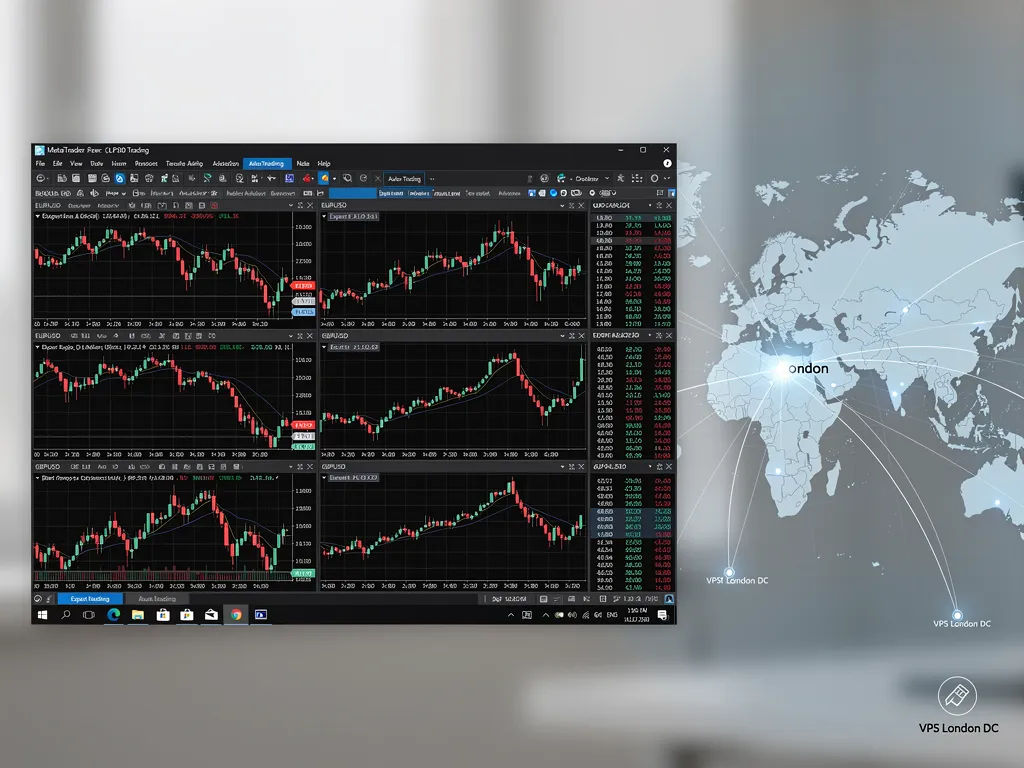
On a home computer, sleep, Windows updates and internet drops interrupt the EA, so the rehearsal does not match the real challenge. Running demo accounts on a VPS keeps the EA online 24/5 on the same server, location and latency you will use for the paid challenge. When you switch to the real account, only the login changes.
Which location?
Choose the data centre closest to your firm’s trading server. Our broker latency table shows FTMO’s server at around 1 millisecond from our London data centre, so London is the natural choice for FTMO practice. Check your own firm in the table before ordering.
Which plan?
Most practice setups are small:
- One challenge rehearsal: the Lite plan (1 core, 2 GB RAM) runs one MetaTrader terminal with one EA comfortably.
- A rehearsal plus a second demo, for example to compare two EA settings side by side: the Standard plan (2 cores, 3 GB RAM).
Each terminal uses roughly 1 GB of RAM. If you plan to run several accounts later, read how many EAs a cheap forex VPS can run. All Cheap Forex VPS plans include a dedicated IP address, which is also what prop firms prefer when you move to a paid account.
Setting Up the Rehearsal on Your VPS
- Order a VPS in the right location and connect with remote desktop.
- Install the platform your firm uses, then log in to the free trial or your rule-matched demo.
- Attach your EA with its risk guards switched on and AutoTrading enabled.
- Set MT4 or MT5 to restart automatically after any server reboot, using how to auto-start MT4 after a VPS reboot.
- Disconnect from the remote desktop without signing out.
- Review results every few days: daily drawdown, maximum drawdown, number of trading days and any rule close calls.
What to Look for in Your Results
- Close calls on the daily limit. If your worst day came within 1% of the limit, reduce risk per trade before paying.
- Losing streaks. Count your longest run of losing trades and check it would not breach the maximum loss at your planned size.
- Days without trades. If your EA rarely trades, check that it can meet minimum trading days within the time allowed.
If your rehearsal passes comfortably more than once, you have real evidence your setup suits the challenge. It is still not a guarantee: live market conditions and your firm’s rules on the day decide the result.
Frequently Asked Questions
Can I practise a prop firm challenge for free?
Yes. FTMO and FundedNext both offer free trials, and you can also simulate any firm’s rules on a broker demo account.
Can I use an EA on a prop firm free trial?
It depends on the firm. FTMO’s free trial runs on MT4, MT5 and cTrader, while FundedNext’s free trial does not allow EAs. Check the current rules first.
Do I need a VPS for a prop firm demo?
If you trade with an EA, yes. A VPS keeps it running 24/5 so your rehearsal is not interrupted by your home computer.
Which VPS location is best for FTMO practice?
London. Our latency table shows FTMO’s server at around 1 millisecond from our London data centre.
How big a VPS do I need for prop firm practice?
One terminal with one EA runs comfortably on a 1-core, 2 GB plan. Add RAM if you run several demos.
Does passing a practice challenge mean I will pass the real one?
No. It shows your setup can work under the rules, but live results depend on market conditions on the day.