
Contact Info
118 ALJUNIED AVENUE 2, SINGAPORE (380118)
support@cheapforexvps.com


Broker Latency and EA Backtesting: Does It Really Matter?
Short answer: No. A backtest replays price history stored on your own machine, so the network distance to your broker plays no part while the test runs. Backtesting speed depends on CPU cores, single-core speed, RAM and fast storage. Latency matters for live trading, so the smart setup is to backtest wherever computing power is cheapest and run your live EA on a low-latency VPS close to your broker.
Low latency is one of the most important things to look for in a forex VPS. When your EA trades live, every millisecond between your terminal and your broker’s server affects how quickly your orders arrive. That is why the price of trading servers often reflects where they sit and how close they are to brokers.
But many traders carry that thinking into backtesting, and pay for premium low-latency hosting just to run the Strategy Tester. For backtesting, that money buys nothing. This guide explains why, what actually makes backtests faster, and the one way latency still affects your results.
How a Backtest Actually Works
When you run the MetaTrader Strategy Tester, here is what happens:
- The terminal downloads price history from your broker, once.
- The history is saved on the computer’s own disk.
- The tester replays that history tick by tick (or bar by bar), feeding it to your EA.
- Your EA’s “orders” are filled by the tester itself, using the rules and settings you chose.
- The tester writes a report.
At no point during the test does an order travel to your broker. The tester is the broker. Whether your VPS is 1 millisecond or 150 milliseconds from the broker’s server makes no difference to how long the test takes or to its result.
The only network step is the first history download. A server in a data centre usually downloads faster than a home connection, but this happens once per symbol and has nothing to do with the broker distance that “low latency” refers to.
What Really Makes Backtesting Faster
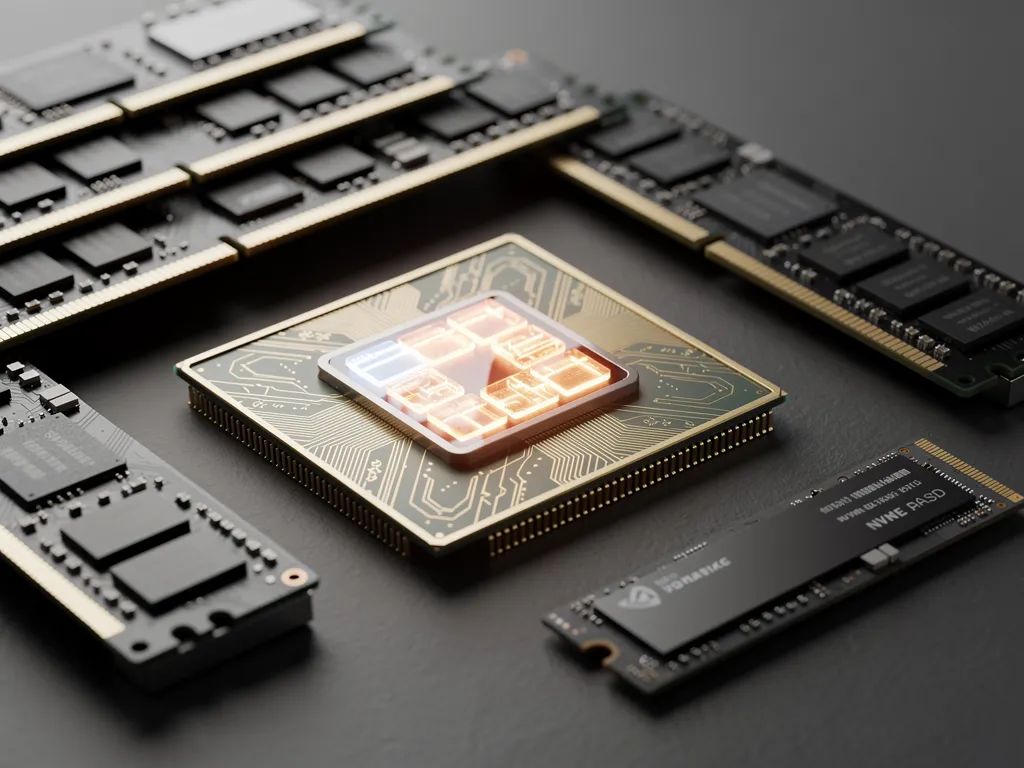
CPU cores
The MetaTrader 5 tester creates one local testing agent per logical CPU core. A single backtest uses one agent, but an optimisation runs one pass on every agent at the same time. Double the cores, and an optimisation finishes in roughly half the time. MT4’s tester uses a single core, so core count helps MT4 users less.
Single-core speed
Each pass runs on one core, so the speed of that core decides how quickly each individual test completes. Dedicated cores also give steady performance, while busy shared cores can slow down without warning. See shared vCPU vs dedicated CPU on a forex VPS.
RAM
Every agent loads price history and a copy of your EA. Testing many symbols, or using real tick data, needs more memory per agent. If memory runs out, Windows starts using the disk instead, and tests slow down sharply.
Fast storage
Real tick data takes a lot of disk space, and agents read it constantly. NVMe storage reads data much faster than older disks, which helps long tests and large optimisations.
Where Traders Overpay
Premium trading hosting usually charges for location: servers inside or connected directly to the data centres where brokers run, with special network links. That is valuable for a live scalping EA. For backtesting it is wasted, because the test never uses the network.
If you only need a server to run optimisations, compare plans on cores, RAM and storage per dollar, not on milliseconds to a broker. The same budget spent on more cores will finish your optimisations far sooner than the same cores in a more expensive location.
The Catch: Backtests Ignore Real Latency
Here is where balance matters. Because a backtest never touches the network, it also does not include the delays your EA will face live. By default, every order fills instantly at the requested price. For most swing and trend EAs, that small difference does not change much. For some strategies it changes everything:
- Scalpers aiming for a few pips per trade.
- News EAs that trade fast-moving spikes.
- Tight stop-loss strategies where a few pips of slippage turns a winner into a loser.
For these EAs, a “perfect fill” backtest can look far better than live results ever will. Our article on how latency affects forex trading explains the live side, and the hidden fee of latency puts numbers on it.
How to make backtests more realistic
- Turn on execution delay. The MT5 Strategy Tester can emulate a fixed delay or a random one. Run your scalping or news EA with and without delay and compare.
- Use wider spreads. Test with your broker’s typical spread, and again with a wider one to mimic busy moments.
- Add slippage or a cost buffer. If your EA’s logic allows it, add a small extra cost per trade.
- Use real ticks. “Every tick based on real ticks” replays your broker’s actual price stream instead of simulated prices.
- Forward test on demo. A few weeks on a demo account, on a VPS near your broker, shows real fills. See do you need a VPS to test an EA on a demo account?
If an EA only stays profitable with zero delay, it is not ready to trade live, whatever server you use.
The Smart Setup: Test for Compute, Trade for Latency
Separate the two jobs in your head, and often on your servers too.
For backtesting and optimisation
- Prioritise CPU cores, then RAM, then storage.
- Location does not matter.
- Run heavy optimisations at the weekend, when the market is closed, so they never compete with live trading.
For live trading
- Choose the data centre closest to your broker’s trading server. Our broker latency table shows measured ping from London and New York to more than 150 brokers, and how to choose the right VPS location for your broker walks you through it.
- Keep enough spare CPU and RAM that the live terminal never waits for a busy optimisation.
Doing both on one server
Many traders test and trade on the same VPS. That works well if you put it in the city nearest your broker, size it with a few spare cores, and limit the number of testing agents during the trading week. You then get low latency live and enough computing power to optimise at the weekend. For details on agents, read can you run the MT5 Strategy Tester on a VPS?
Choosing Specs for a Backtesting VPS
As a rough guide:
- Occasional single backtests: 1 to 2 cores is enough.
- Regular MT5 optimisations: 4 cores or more; each extra core adds another agent.
- Real-tick testing across several symbols: more RAM and plenty of storage, because tick history grows quickly.
All Cheap Forex VPS plans run in London or New York near major brokers, so the same server that runs your live EA can also run your tests. Compare plans from 1 to 32 cores, or ask our support team which size fits your testing.
Frequently Asked Questions
Does latency matter for backtesting?
No. The test runs on history stored on the server, and the tester fills orders itself. Broker latency only matters once the EA trades live.
Will a low-latency VPS make my backtests faster?
Not because of latency. A VPS may still be faster than your PC because of its CPU, RAM or storage, but its distance to the broker plays no part.
What specs matter most for backtesting an EA?
For MT5 optimisation, the number of CPU cores comes first, then single-core speed, RAM and fast NVMe storage. MT4’s tester uses one core, so single-core speed matters most there.
Why do my live results look worse than my backtest?
Backtests fill orders instantly with no slippage by default. Live trades face delays, spread changes and slippage, which hurt scalping and news EAs most. Test with execution delay and wider spreads to narrow the gap.
Can I backtest and trade live on the same VPS?
Yes. Place the VPS near your broker, keep spare cores for live terminals, and run heavy optimisations at the weekend.
Is it worth paying more for a VPS in a broker’s data centre just for backtesting?
No. For backtesting, spend on cores and memory instead. Pay for a low-latency location only for the server that runs your live EA.